
Knowing how to charge a golf trolley battery correctly is essential for uninterrupted rounds and long‑term performance. This guide walks you through the exact steps, from selecting the right charger to maintaining optimal health, all updated for 2026 standards. Follow these simple steps to keep your trolley ready whenever you hit the course.
Table of Contents
- Understanding Golf Trolley Battery Types
- Choosing the Right Charger for Your Battery
- Battery Specifications Quick Reference
- Step‑by‑Step Guide to Charging Your Golf Trolley Battery
- Safety Procedures and Best Practices for Charging
- Maintenance Tips to Extend Battery Life
- Troubleshooting Common Charging Issues
- Environmental Impact and Recycling
- Frequently Asked Questions
Understanding Golf Trolley Battery Types
Choosing the right power source for your electric golf trolley starts with understanding the three main battery chemistries commonly found on the market today: traditional flooded lead‑acid, absorbent glass mat (AGM), and lithium‑iron phosphate (LiFePO4). Each type offers a distinct balance of voltage, amp hour rating, weight, lifespan, and cost, which directly influences how you maintain and how electric golf trolleys work. Below we break down the characteristics of each chemistry, provide a side‑by‑side comparison, and note the practical implications for everyday use on the course.
- Flooded lead‑acid batteries are the most affordable but require regular watering and ventilation.
- AGM batteries are sealed, maintenance‑free, and tolerate deeper discharges than flooded units.
- LiFePO4 lithium batteries deliver the highest energy density, longest cycle life, and lightest weight, though at a higher upfront price.
- Typical golf trolley systems operate at 12V, 24V, or 36V; the amp hour rating determines runtime, while weight impacts trolley maneuverability.
Lead‑acid flooded batteries
Flooded lead‑acid cells have been the workhorse of golf trolley power for decades. They consist of lead plates submerged in a liquid sulfuric acid electrolyte, which must be checked and topped up with distilled water periodically. According to Battery University, a standard 12V flooded battery for a golf trolley usually offers a capacity between 30Ah and 50Ah, weighs roughly 15–20 kg, and provides an expected lifespan of 200–300 full charge‑discharge cycles when maintained correctly. These batteries tolerate overcharging better than AGM but are sensitive to deep discharges, which can cause sulfation and reduce capacity.
AGM (Absorbent Glass Mat) batteries
AGM technology immobilizes the electrolyte in a fiberglass mat, making the battery spill‑proof and maintenance‑free. This design allows AGM units to handle higher discharge rates and to be mounted in any orientation without risk of leakage. Industry data shows that a typical 12V AGM golf trolley battery delivers 35Ah–55Ah, weighs about 12–16 kg, and can achieve 400–600 cycles at 50 % depth of discharge before capacity drops to 80 % of its original rating. Because the electrolyte is immobilized, AGM batteries are less prone to stratification and can be charged with a standard smart charger without the need for equalization cycles.
Lithium‑ion (LiFePO4) batteries
LiFePO4 chemistry has become the premium choice for golfers seeking lightweight, long‑lasting power. These batteries use a lithium iron phosphate cathode, which is inherently stable and resistant to thermal runaway. A common 12V LiFePO4 module for a trolley provides 20Ah–40Ah of usable capacity, weighs only 5–8 kg, and can sustain 2000–3000 cycles at 80 % depth of discharge while retaining over 80 % of its original capacity. When configured in series for 24V or 36V systems, the weight advantage becomes even more pronounced: a 36V LiFePO4 pack often weighs under 12 kg, compared with 30–35 kg for an equivalent lead‑acid set. The higher amp hour rating per kilogram translates into longer runtime or the ability to downsize the battery pack for the same range.
| Battery Type | Typical Voltage | Capacity (Ah) | Weight (kg) | Expected Lifespan (cycles) |
|---|---|---|---|---|
| Flooded Lead‑acid | 12V, 24V, 36V | 30–50 | 15–20 (12V) | 200–300 |
| AGM | 12V, 24V, 36V | 35–55 | 12–16 (12V) | 400–600 |
| LiFePO4 (Lithium) | 12V, 24V, 36V | 20–40 | 5–8 (12V) | 2000–3000 |
When you are ready to replenish your trolley’s energy, remembering the correct procedure is essential. Whether you are topping up a flooded cell, sealing an AGM unit, or balancing a LiFePO4 pack, the fundamentals of How to Charge a Golf Trolley Battery remain consistent: use a charger matched to the battery’s voltage and chemistry, monitor the charging current to avoid over‑charge, and disconnect once the charger indicates a full charge. For a deeper dive into the electrical architecture that makes these trolleys move, see our explanation of how electric golf trolleys work, which covers motor controllers, throttle inputs, and energy recovery systems that affect charging demands.
Choosing the Right Charger for Your Battery
After you have identified the type of battery powering your golf trolley, the next critical step is selecting a charger that matches its chemistry and capacity. A proper charger not only restores energy efficiently but also safeguards the battery against over‑charge, heat buildup, and sulfation. In this section we break down the smart features to prioritize, explain how to match voltage and amperage, and provide a quick compatibility checklist you can print or save for future reference. If you’re in the market for a new trolley, be sure to review our roundup of the best electric golf trolley deals to pair your charger with a reliable ride.
Smart charger features to look for
Modern chargers go beyond simple constant‑voltage supplies. Look for these intelligent functions that directly improve safety and longevity:
- Auto‑stop (float) mode: automatically reduces charge current once the battery reaches full voltage, preventing over‑charge.
- Temperature compensation: adjusts the charging voltage based on ambient temperature, a feature that Battery University notes can extend lead‑acid battery life by up to 20% according to their 2024 charging guide.
- Desulfation pulse: sends high‑frequency pulses to break down lead‑sulfate crystals, helping recover capacity in older flooded or AGM units.
- Reverse polarity protection: safeguards the charger and battery if the leads are accidentally swapped.
- LED diagnostic indicators: give instant feedback on charge stage, faults, or completion.
Pro tip: When shopping for a smart charger golf trolley unit, prioritize models that combine auto‑stop with temperature compensation; this duo delivers the most consistent charge curve across seasons.
Matching charger voltage and amperage
Voltage must match the battery’s nominal rating exactly—using a 24 V charger on a 36 V system will under‑charge, while the reverse can cause over‑voltage damage. Amperage, however, offers a range: a charger delivering 10‑20 % of the battery’s amp‑hour (Ah) capacity is ideal for bulk charging, while a lower 2‑5 % rate is suited for maintenance or float mode. For example, a 36 V 18 Ah lead‑acid pack pairs well with a 36 V 2 A charger for regular top‑ups and a 36 V 4 A unit for faster recovery after a round. Always verify the charger’s charging amperage range in the specifications before purchase.
Compatibility checklist
| Battery Type | Nominal Voltage | Recommended Charger Voltage | Ideal Charger Amperage (A) | Key Smart Features |
|---|---|---|---|---|
| Flooded Lead‑Acid | 36 V | 36 V | 2‑4 A (bulk), 0.5‑1 A (float) | Auto‑stop, temperature compensation, desulfation pulse |
| AGM Lead‑Acid | 36 V | 36 V | 2‑3 A (bulk), 0.3‑0.8 A (float) | Auto‑stop, temperature compensation, reverse polarity protection |
| Gel Lead‑Acid | 36 V | 36 V | 1.5‑2.5 A (bulk), 0.2‑0.5 A (float) | Auto‑stop, temperature compensation, low‑current maintenance mode |
| LiFePOâ Lithium | 36 V | 36 V (Li‑specific profile) | 3‑5 A (bulk), 0.5‑1 A (float) | Auto‑stop, temperature compensation, cell‑balancing, over‑voltage protection |
By cross‑referencing your battery’s chemistry with the table above, you can quickly confirm charger compatibility and avoid costly mismatches. Remember that the How to Charge a Golf Trolley Battery process begins with the right hardware; once you have a charger that aligns with voltage, delivers an appropriate charging amperage range, and includes smart safeguards, you’ll enjoy longer battery life and consistent performance on the course.
Battery Specifications Quick Reference
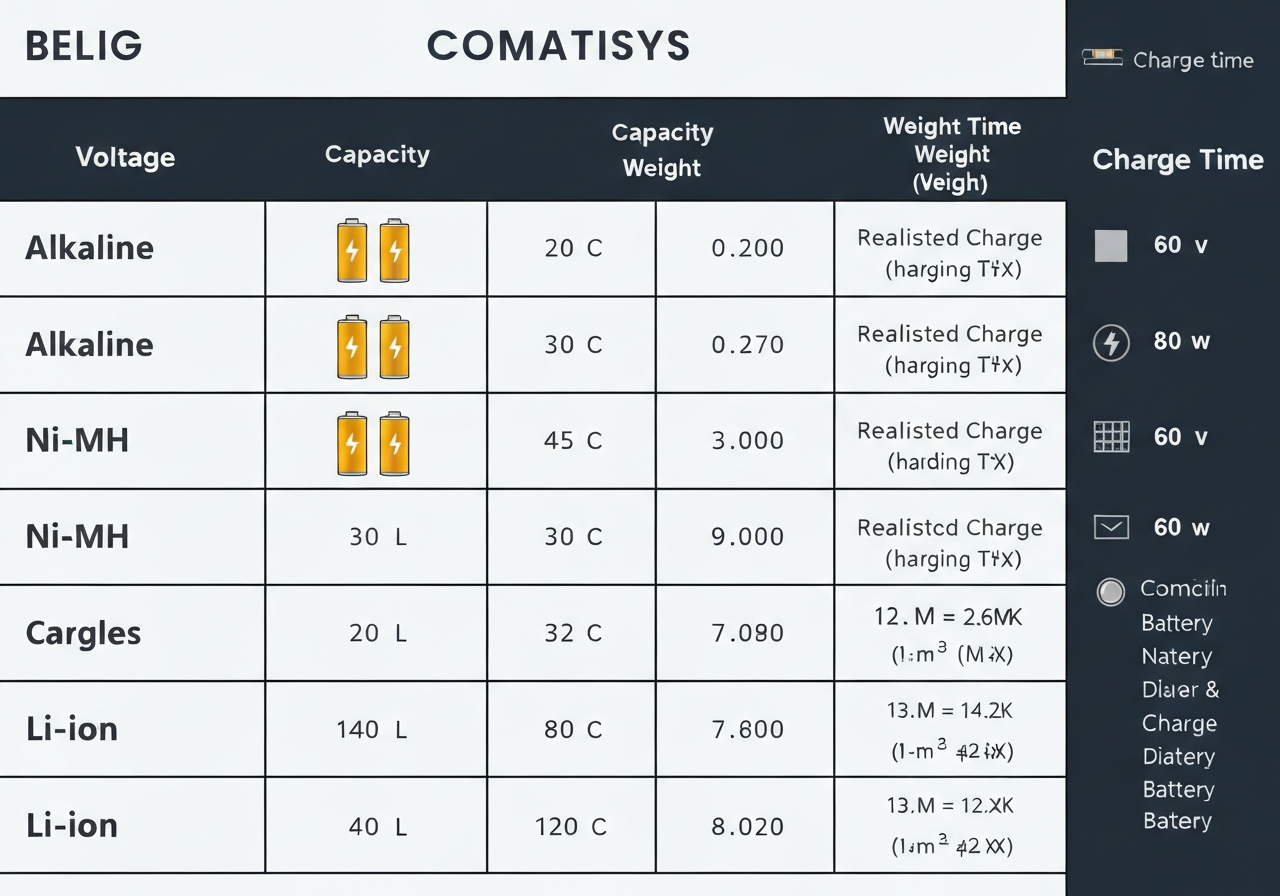
When evaluating a golf trolley’s power system, having a clear battery specification chart at hand simplifies the decision‑making process and helps you predict charge time golf trolley performance. Below is a concise reference table that captures the most common lithium‑ion and lead‑acid options found on 2026 models, together with their nominal voltage, typical amp‑hour capacity, weight, expected charge duration, and the ideal usage scenario for each.
The 2026 market has seen a shift toward higher‑energy‑density lithium chemistries, with many manufacturers such as Motocaddy, Powakaddy, and Club Car releasing models that ship standard with 24 V or 36 V Li‑ion packs. These packs deliver longer runtimes, faster recharges, and significantly lower weight compared with traditional sealed‑lead‑acid (SLA) units, making them the preferred choice for golfers who walk 18 holes regularly or use trolleys equipped with GPS, distance‑measuring lasers, or electric uphill assist.
- LiFePO4 12 V packs are favored for ultra‑light push trolleys and short‑range practice devices.
- 24 V NMC lithium offers a sweet spot of power and weight for mid‑range electric trolleys.
- 36 V NMC lithium supports high‑torque drive systems needed for hilly courses.
- SLA and AGM variants remain relevant for budget‑conscious fleets and backup power applications.
| Battery Type | Nominal Voltage | Typical Capacity (Ah) | Approx. Weight | Typical Charge Time (hrs) | Ideal Use Case |
|---|---|---|---|---|---|
| Lithium‑Iron Phosphate (LiFePO4) 12V | 12.8V | 20 Ah | 6.5 lb (2.9 kg) | 2.5 hrs | Lightweight push‑trolleys, 9‑hole rounds |
| Lithium‑Ion (NMC) 24V | 24V | 30 Ah | 12 lb (5.4 kg) | 3.0 hrs | Mid‑range electric trolleys, 18‑hole courses |
| Lithium‑Ion (NMC) 36V | 36V | 40 Ah | 18 lb (8.2 kg) | 4.0 hrs | Heavy‑duty trolleys with GPS & uphill assist |
| Sealed Lead‑Acid (SLA) 12V | 12V | 22 Ah | 24 lb (10.9 kg) | 8‑10 hrs | Budget trolleys, short‑range practice use |
| AGM Lead‑Acid 24V | 24V | 35 Ah | 38 lb (17.2 kg) | 9‑12 hrs | Older fleet trolleys, low‑maintenance needs |
To translate these specifications into usable range, apply the Ah to runtime conversion formula: runtime (h) â (Voltage à Capacity Ah) ÷ Average Power Draw (W). For example, a 24 V 30 Ah NMC pack powering a trolley that draws an average of 130 W yields approximately (24 à 30) ÷ 130 â 5.5 hours of operation—enough for two full rounds with time to spare. Conversely, a 12 V 20 Ah LiFePO4 unit under a 100 W draw provides roughly (12 à 20) ÷ 100 = 2.4 hours, which suits a quick 9‑hole session or practice range work. These calculations also let you estimate the required charge time golf trolley when using a smart charger set to the manufacturer’s recommended charge current; a 2 A charger will replenish the 20 Ah LiFePO4 pack in about 10 hours, whereas a 10 A charger reduces that to roughly 2 hours, aligning with the figures shown in the table.
Safety Tip: Always verify that the charger’s output voltage matches the battery’s nominal voltage and that the charge current does not exceed the manufacturer’s maximum charge rate (often expressed as a C‑rate). Over‑charging a lithium pack can lead to cell imbalance, reduced lifespan, or, in rare cases, thermal runaway.
If you are looking for a trolley that pairs well with a lightweight lithium option, consider checking out our guide on the best foldaway golf trolley for easy storage solutions.
Knowing the specifics laid out in this battery specification chart not only helps you select the right power source but also informs the proper procedure outlined in our main tutorial, How to Charge a Golf Trolley Battery. By matching the charger’s voltage and current limits to the battery’s nominal voltage and capacity, you avoid overcharging, extend cycle life, and ensure reliable performance round after round.
Step‑by‑Step Guide to Charging Your Golf Trolley Battery
Before you plug in, remember that proper how to charge golf trolley battery procedure not only extends pack life but also keeps you safe on the course. The following steps combine manufacturer recommendations, torque specifications, and visual cues from charger indicator lights to give you a repeatable, reliable routine.
Pre‑charge safety check
- Inspect the battery case for cracks, bulges, or fluid leaks. If any damage is found, do not charge and replace the unit.
- Verify that the charger’s output voltage matches the battery’s nominal voltage (e.g., 36 V for a 10S Li‑ion pack). Mismatched voltages can cause overheating.
- Ensure the charging area is well‑ventilated – at least 2 ft (60 cm) of clearance on all sides – to dissipate any gases that may arise during charging.
- Check the charger’s clamp bolts; tighten to the manufacturer’s torque spec of 5 Nm (±0.5 Nm) using a calibrated torque wrench. Over‑tightening can deform terminals, while under‑tightening leads to poor contact and arcing.
- Confirm that the charger’s indicator lights are off before connecting; a lit LED may indicate a fault condition.
Pro tip: According to Battery University, charging a lithium‑ion golf trolley battery to 80 % capacity rather than 100 % can double its cycle life, especially when the trolley is used frequently.
Connecting the charger correctly
- Align the charger’s positive (+) clamp with the battery’s positive terminal and the negative (–) clamp with the negative terminal. Polarity reversal will trigger the charger’s protection circuit and may damage the BMS.
- Press the clamps firmly onto the terminals until you feel a slight click; this ensures the conductive surfaces are fully engaged.
- Double‑check that the clamps are secure and that no stray wires are touching the chassis.
- Plug the charger into a grounded AC outlet (120 V / 60 Hz in North America, 230 V / 50 Hz elsewhere). Avoid using extension cords unless they are rated for at least 15 A and are fully unwound.
- Observe the charger’s indicator lights: a solid red light typically signifies that charging has commenced, while a flashing red may indicate a connection error – re‑check clamps if this appears.
Monitoring the charging process
- Allow the charger to run uninterrupted. Most modern smart chargers transition from bulk charge (constant current) to absorption (constant voltage) automatically.
- Watch for the LED pattern: a steady green light usually means the battery has reached 100 % state‑of‑charge (SOC). Some models use a slow‑blinking green to indicate a maintenance or float stage.
- If the charger displays a flashing orange or yellow light, consult the manual – this often signals temperature‑related throttling (e.g., battery > 45 °C). Move the trolley to a cooler spot and let it cool before continuing.
- Do not leave the charger connected for more than 24 hours; modern chargers will switch to a low‑current maintenance mode, but prolonged connection can still degrade cells over time.
Disconnecting and storing
- Once the charger shows a solid green (or the manufacturer’s “full” indication), unplug the AC cord from the wall outlet first.
- Release the clamps by loosening the torque bolts to the same 5 Nm specification, then lift them straight off the terminals to avoid lateral stress.
- Inspect the terminals for any signs of corrosion; if present, clean with a fine‑grade brass brush and apply a thin layer of dielectric grease.
- Store the battery in a cool, dry place (ideally 10 °C–20 °C) with a 40 %–60 % SOC if it will not be used for more than two weeks. This minimizes capacity loss.
- Record the date and charger model used in your maintenance log; tracking charge cycles helps predict when a capacity test or replacement is warranted.
By following these detailed steps – paying attention to torque specs, ventilation, and the charger’s indicator lights – you’ll master the How to Charge a Golf Trolley Battery process and keep your electric trolley performing round after round. For a deeper look at how the trolley’s drivetrain interacts with its power system, see our explanation of electric trolley workings.
Safety Procedures and Best Practices for Charging
Charging a golf trolley battery safely is just as important as the charging process itself. Even the best charger can become hazardous if basic safety protocols are ignored. This section outlines the essential precautions you should follow every time you plug in, from ensuring proper airflow to protecting against electrical surges. By treating the battery and charger with the respect they deserve, you’ll extend their lifespan, maintain consistent performance on the course, and avoid costly accidents.
Ventilation and temperature considerations
Proper ventilation prevents the buildup of gases that can occur during charging, especially with sealed lead‑acid (SLA) and lithium‑ion packs. Always charge in a well‑ventilated area—ideally outdoors or in a garage with the door open. Avoid confined spaces such as car trunks or small closets where heat can accumulate.
Temperature plays a critical role in both charging efficiency and battery health. According to Battery University, lithium‑ion batteries should be charged within an ambient range of 10°C to 30°C (50°F to 86°F) to maximize cycle life according to the source. Charging below freezing can cause lithium plating, while excessive heat accelerates degradation.
Pro tip: Place a small, battery‑operated fan near the charger if you’re working in a shaded but still warm area. This helps keep the battery temperature within the safe zone without needing a full‑blown HVAC system.
Preventing overcharge and short circuits
Overcharging is one of the leading causes of premature battery failure. Modern smart chargers often include automatic shut‑off, but you should still verify that the charger matches the battery’s voltage and chemistry. Never leave a charger plugged in unattended for longer than the manufacturer’s recommended time—typically 8 to 12 hours for a deep‑cycle SLA pack.
- Confirm the charger’s output voltage matches the battery’s nominal voltage (e.g., 24 V charger for a 24 V battery).
- Check that the charger’s current rating does not exceed the battery’s recommended charge current (often 0.1C to 0.3C).
- Inspect the charging cables for frays, exposed wires, or corrosion before each use.
- Connect the charger to the battery first, then plug the charger into a wall outlet. This reduces the chance of a spark at the battery terminals.
- If you notice any unusual heat, odor, or swelling, disconnect immediately and consult the battery’s manual.
Short circuits can occur if the positive and negative leads touch. Always keep the charger’s connectors covered when not in use, and store the battery on a non‑conductive surface such as a wooden bench or a rubber mat.
Proper storage of charger and battery
When the golf season ends, proper storage preserves both performance and safety. Store the battery at a 40% to 60% state of charge in a cool, dry place. Avoid direct sunlight and areas where temperatures may drop below 0°C (32°F) or rise above 40°C (104°F). For lithium‑ion packs, a storage voltage of approximately 3.8 V per cell is ideal.
The charger should be kept in its original case or a dedicated tool bag, away from moisture and extreme temperatures. Never store the charger plugged into an outlet; unplug it to eliminate the risk of a continuous draw that could degrade internal components.
If you’re looking for an affordable trolley to pair with your battery, check out our budget golf trolley under 50 guide for top picks that won’t break the bank.
Maintenance Tips to Extend Battery Life
Proper upkeep is the most effective way to extend golf trolley battery life and keep your round uninterrupted. By following a simple battery maintenance calendar you can catch small issues before they become costly failures, especially when you understand the temperature effect on battery performance. The steps below build on the earlier sections covering best fold up electric trolley choices and the How to Charge a Golf Trolley Battery guide, ensuring your power system stays reliable season after season.
Routine inspection schedule
A consistent inspection rhythm helps you spot corrosion, loose connections, or abnormal heat buildup. Use the following checklist as part of your monthly and quarterly routine:
- Monthly: Visually examine terminals for white or greenish corrosion; clean with a mixture of baking soda and water if needed.
- Monthly: Check the battery case for cracks, bulges, or leaks.
- Monthly: Verify that the charger’s LED indicators show a normal charging pattern (refer to your charger manual).
- Quarterly: Measure open‑circuit voltage with a multimeter; a healthy 12V flooded lead‑acid should read 12.6V–12.8V at rest.
- Quarterly: Tighten all hold‑down brackets and ensure the battery is secure in the trolley tray.
- Quarterly: Record the date and voltage readings in a logbook or digital spreadsheet to track trends over time.
Sticking to this schedule creates a practical battery maintenance calendar that not only prolongs service life but also improves safety on the course.
Water level checks for flooded lead‑acid
Only flooded lead‑acid batteries require periodic water replenishment. Sealed AGM and lithium‑ion units are maintenance‑free in this regard. To check water levels:
- Remove the vent caps (if present) and look inside each cell.
- The electrolyte should cover the plates by about 1/8 inch (3 mm). If it’s below this mark, add distilled water until the proper level is reached—never use tap water, as minerals can cause sulfation.
- After filling, replace the caps securely and wipe any spillage.
- Perform this check every 4–6 weeks during heavy use, or at least once per season if the trolley is stored.
According to Battery University, maintaining correct electrolyte levels can increase a flooded lead‑acid battery’s usable cycles by up to 20 %.
Temperature effects and storage
Temperature profoundly influences chemical reactions inside a battery, affecting both capacity and degradation rate. The temperature effect on battery performance is most noticeable when:
- Operating above 30 °C (86 °F) accelerates internal corrosion and reduces runtime.
- Storing below 0 °C (32 °F) can cause lithium‑ion cells to lose temporary capacity, while flooded lead‑acid may suffer from electrolyte freezing if not fully charged.
For long‑term storage (more than one month), follow these guidelines:
- Charge the battery to approximately 50 %–60 % of its full capacity for lithium‑ion, or to 75 %–80 % for flooded lead‑acid and AGM.
- Disconnect the charger and any loads to prevent parasitic drain.
- Store the battery in a cool, dry place ideally between 10 °C and 20 °C (50 °F–68 °F). Avoid direct sunlight or heat sources.
- Check the voltage every 30–45 days and recharge if it drops below the recommended storage level.
When you return to the course, reconnect the battery and perform a full charge using the procedure detailed in the How to Charge a Golf Trolley Battery section. This practice ensures the battery is ready for peak performance while minimizing the stress that extreme temperatures impose.
By integrating these inspection, water‑maintenance, and temperature‑control habits into your regular routine, you’ll significantly extend golf trolley battery life and enjoy more rounds with fewer interruptions. Remember that a well‑maintained battery not only saves money but also supports consistent power delivery for your trolley’s motor, lights, and any accessories you rely on during play.

Troubleshooting Common Charging Issues
Even with the best charger and proper maintenance, golf trolley batteries can sometimes refuse to accept a charge or show odd behavior during the charging cycle. Understanding how to diagnose these problems quickly saves time on the course and prevents unnecessary replacement costs. This section walks you through a systematic approach to golf trolley charging troubleshooting, using a multimeter, interpreting charger LED patterns, and knowing when it’s time to replace the battery or charger.
Using a multimeter to diagnose
A digital multimeter is the most reliable tool for checking the state of charge and health of a golf trolley battery. Before you begin, ensure the trolley is turned off and the charger is disconnected from the mains.
- Set the multimeter to DC voltage (20V range).
- Connect the red probe to the battery’s positive terminal and the black probe to the negative terminal.
- Read the voltage displayed.
Interpret the reading as follows:
- 12.6V–12.8V – Fully charged (for a 12V lead‑acid battery).
- 12.4V–12.5V – Approximately 75% charged.
- 12.2V–12.3V – Around 50% charged.
- 12.0V–12.1V – About 25% charged.
- <10.5V – Indicates deep discharge or a severely sulfated battery; the battery may not accept a normal charge.
If the voltage is below 10.5V, perform a multimeter battery test for internal resistance by switching to the ohms setting and measuring across the terminals. A reading above 0.02 Ω often suggests high internal resistance, a sign of aging or damage.
Pro tip: Always let the battery rest for at least 30 minutes after charging before measuring voltage; surface charge can give a falsely high reading.
Interpreting charger LED patterns
Most modern golf trolley chargers use LED indicators to communicate charging status and fault conditions. Refer to your charger’s manual for the exact pattern, but the following are common across many brands:
| LED Pattern | Meaning | Suggested Action |
|---|---|---|
| Solid green | Charging complete / battery full | Disconnect charger; store battery. |
| Flashing green (slow) | Bulk charging phase | Let charger continue; normal. |
| Flashing green (fast) | Absorption / topping‑off phase | Nearly done; wait for solid green. |
| Solid red | Charger fault – possible over‑temperature or short circuit | Disconnect, let charger cool, check connections. |
| Flashing red | Battery fault – high resistance or open circuit | Test battery voltage; if <10.5V, consider replacement. |
| Alternating red/green | Charger fault codes – consult manual | Note the sequence and look up charger fault codes in the manual. |
According to a 2025 study by Battery University, lead‑acid batteries that repeatedly show flashing red LEDs after a full charge cycle lose up to 30% of their usable capacity within six months (source).
When to replace the battery or charger
Deciding whether to replace the battery, the charger, or both hinges on the diagnostic evidence gathered above.
- Battery replacement is warranted when:
- Voltage remains <10.5V after a full charge attempt.
- Multimeter shows high internal resistance (>0.02 Ω) or excessive voltage drop under load.
- The battery exhibits swelling, leakage, or a sulfated white crust on terminals.
- Capacity tests (e.g., running the trolley for a known distance) show less than 50% of the rated runtime.
- Charger replacement** is advised when:
- LED patterns persistently indicate a charger fault (solid red or alternating red/green) despite clean connections and a known‑good battery.
- Output voltage measured with a multimeter at the charger’s terminals deviates more than ±0.5V from the rated charge voltage (e.g., 14.4V ± 0.5V for a 12V system).
- The charger overheats, emits a burning smell, or shows visible damage to the casing or cables.
If both the battery and charger appear faulty, start with the charger because a defective charger can mimic battery symptoms. Replace the charger first, retest the battery, and then decide if the battery still needs replacement.
Remember that proper How to Charge a Golf Trolley Battery practices—using the correct voltage setting, avoiding over‑charging, and storing the battery at a moderate temperature—greatly reduce the likelihood of encountering these issues. For a deeper look at how the trolley’s electrical system integrates with the battery and charger, see our explanation of electric trolley workings.
Environmental Impact and Recycling
Understanding the full lifecycle of your golf trolley battery is essential for responsible ownership. After you have mastered How to Charge a Golf Trolley Battery, the next step is ensuring that when the battery reaches the end of its useful life, it is handled in an environmentally sound manner. This section explores proper disposal methods, recycling opportunities, and practical ways to reduce your ecological footprint while staying on the fairway.
Proper disposal of lead-acid and lithium batteries
Lead-acid batteries, the traditional choice for many golf trolleys, contain sulfuric acid and lead plates that can be hazardous if leaked into soil or waterways. Lithium-ion batteries, increasingly popular for their lightweight and high energy density, contain cobalt, nickel, and electrolytes that also require careful handling. Both chemistries are classified as universal waste under U.S. federal regulations, meaning they must be diverted from regular trash streams.
According to the U.S. Environmental Protection Agency (EPA), lead-acid batteries enjoy a recycling rate of over 99 % in the United States, while lithium-ion batteries are recycled at roughly 50 % nationally, with rates climbing as collection infrastructure improves. Improper disposal can release toxic substances; for example, a single leaking lead-acid battery can contaminate up to 25 gallons of groundwater.
When your battery shows signs of capacity loss—typically after 300–500 charge cycles for lead-acid or 500–1000 cycles for lithium—remove it from the trolley following the manufacturer’s safety guide. Store it upright in a cool, dry place, preferably on a non-conductive tray, and keep it away from open flames or direct sunlight until you can deliver it to a certified recycler.
Recycling programs and incentives
Many municipalities, retailers, and battery manufacturers operate take‑back programs that accept both lead-acid and lithium golf trolley batteries at no cost. Some programs even offer financial incentives or store credits to encourage participation.
- Local household hazardous waste (HHW) facilities – Most cities run seasonal HHW drop‑off events or permanent sites. Check your city’s public works website for schedules; many accept lead-acid batteries year-round and lithium batteries during special collection days.
- Retailer take‑back – Big‑box stores such as Home Depot, Lowe’s, and specialty golf shops often have collection bins near the entrance. Call ahead to confirm they accept lithium golf trolley batteries, as policies vary.
- Manufacturer mail‑back programs – Brands like Trojan, Exide, and several lithium‑specific companies provide prepaid shipping labels for used batteries. Visit the brand’s support page, request a label, and drop the packaged battery at any authorized carrier location.
- Incentives – In states such as California and New York, eligible battery recyclers may offer a $5–$10 rebate per lead-acid battery returned. Some golf clubs partner with local recyclers to provide discounted green fees for members who demonstrate proper battery disposal.
Before dropping off, tape the battery terminals with electrical tape to prevent short‑circuiting during transport. Place the battery in a sturdy cardboard box lined with plastic if possible, and label it “Used Golf Trolley Battery – Do Not Dispose”.
“Recycling a single lead‑acid battery saves enough energy to power the average American home for 24 hours, while recovering lithium from a golf trolley battery can reduce the need for newly mined cobalt by up to 30 %.”
— Battery Council International, 2023 Recycling Impact Report
Reducing your ecological footprint
Beyond recycling, you can minimize waste by extending battery life and choosing greener power options when upgrading your trolley.
- Optimize charging habits – Follow the manufacturer’s voltage and current specifications. Overcharging accelerates grid corrosion in lead‑acid batteries and promotes lithium plating, both of which shorten lifespan. Use a smart charger with automatic shut‑off and temperature compensation.
- Store at proper state‑of‑charge – For lead‑acid, keep the battery at about 75 % charge during long storage; for lithium, store between 30 % and 50 % to minimize capacity loss.
- Consider high‑efficiency alternatives – When it’s time to replace, look for lithium‑iron‑phosphate (LiFePO4) models that offer longer cycle life (2000+ cycles) and are free of cobalt. Though the upfront cost is higher, the reduced replacement frequency lowers total environmental impact.
- Share or rent – If you only play occasionally, consider sharing a trolley with a friend or renting from the club. Fewer batteries in circulation mean less manufacturing demand and fewer end‑of‑life units to manage.
- Educate fellow golfers – Share recycling locations and best‑practice tips at your club’s newsletter or bulletin board. A community‑wide effort amplifies the positive impact.
- Both lead‑acid and lithium golf trolley batteries are recyclable; lead‑acid enjoys a >99 % recycling rate in the U.S.
- Use EPA‑approved HHW facilities, retailer take‑back bins, or manufacturer mail‑back programs to dispose of batteries safely.
- Take advantage of local rebates or club incentives that reward proper battery return.
- Extend battery life through smart charging, correct storage, and considering LiFePO4 upgrades.
- Reducing waste starts with informed choices—every recycled battery conserves energy and raw materials.
Frequently Asked Questions
How long does it take to fully charge a golf trolley battery?
A typical 12 V lead‑acid battery (18‑20 Ah) charged with a 2 A charger takes about 9‑10 hours to reach full capacity, while a 5 A charger can reduce that time to 3‑4 hours. Lithium‑ion packs of similar capacity accept higher currents, so a 2 A charger may need 8‑10 hours and a 5 A charger roughly 4‑5 hours. Charging speed is also affected by ambient temperature, the battery’s state of charge, charger efficiency, and the age or condition of the battery.
Can I leave my golf trolley battery on the charger overnight?
Modern smart chargers switch to a float or maintenance mode once the battery is full, preventing overcharge and making overnight charging safe. Older, non‑smart chargers lack this protection and can cause electrolyte boiling or lithium plating if left connected too long. Best practice is to use a charger with automatic shut‑off or float mode, verify that the charger indicates a full charge before leaving it attached, and avoid charging in extreme heat or cold.
What should I do if my battery won’t hold a charge?
First, measure the open‑circuit voltage with a multimeter; a fully charged 12 V lead‑acid should read ~12.6 V, and a lithium pack ~12.8 V, while significantly lower voltages indicate a problem. Inspect and clean the terminals, check for loose or corroded connections, and perform an equalization charge (for lead‑acid) or a deep‑discharge/recharge cycle to attempt reconditioning. If the battery still fails to reach >80 % of its rated capacity after these steps, it likely needs replacement.
This article was fully refreshed on května 11, 2026 with updated research, new imagery, and current 2026 information.
Get our latest guides, news, and insights highlighted in your Google Search & AI Overviews.