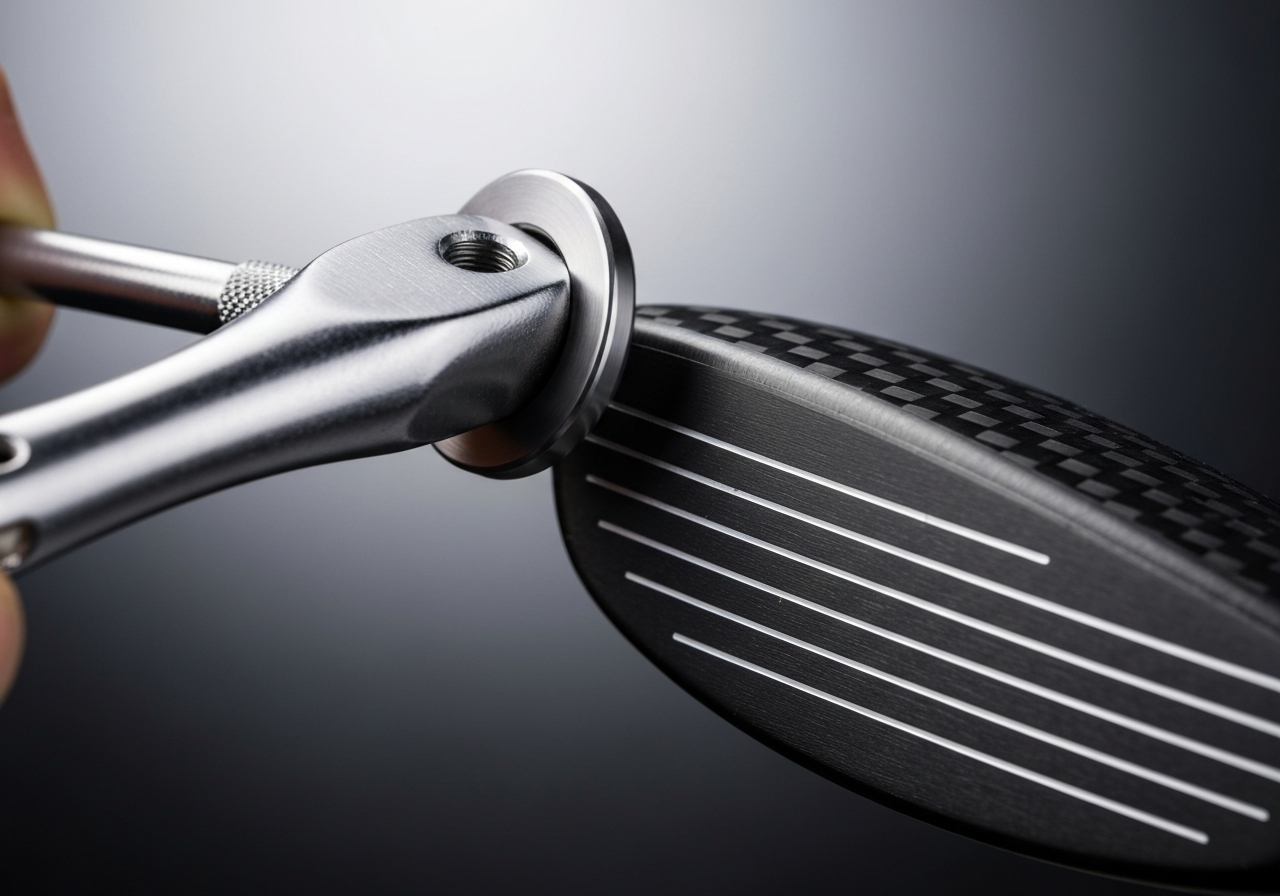
If you’re looking to fine-tune your Callaway driver for better launch, spin, or feel, swapping the shaft is one of the most impactful upgrades you can make at home. This guide walks you through every step—from understanding the hosel adapter to testing the final build—so you can achieve tour‑level performance with confidence. Follow these detailed, safety‑first instructions to change your Callaway driver shaft correctly in 2026.
Before you change Callaway driver shaft it helps to know how the hosel adapter works. The adapter is the small, removable piece that threads into the driver head and accepts the shaft tip. It lets golfers swap shafts without re‑epoxying the head, making experimentation with different flexes, weights, and profiles fast and repeatable.
How the removable adapter works
The Callaway hosel adapter uses a precision‑machined spline interface. When the adapter is screwed into the hosel, twelve splines mate with matching grooves inside the head, locking the adapter in place while allowing it to be removed with a standard hosel wrench. The shaft tip inserts into a bore in the adapter and is secured by a set screw or a press‑fit, depending on the model year.
Loosen the hosel screw with the supplied wrench (usually 3 mm hex).
Turn the adapter counter‑clockwise until it releases from the head.
Remove the old shaft tip from the adapter bore.
Insert the new shaft tip, ensuring it seats fully against the adapter shoulder.
Re‑install the adapter into the hosel and tighten to the manufacturer’s torque spec (typically 30‑35 in‑lb).
Pro Tip: Always clean the adapter bore and shaft tip with isopropyl alcohol before re‑assembly. Any oil or debris can reduce the holding torque and cause slippage during a swing.
Compatibility with aftermarket shafts
One of the biggest advantages of the Callaway hosel system is its broad shaft compatibility. The adapter’s internal bore is sized for a standard .335‑inch tip, which matches most aftermarket driver shafts. However, some manufacturers use a .350‑inch tip or a proprietary taper, requiring a different adapter or a tip‑reduction bushing.
Aftermarket Shaft
Tip Diameter
Adapter Needed?
Notes
Fujikura Ventus Blue 6X
.335″
No
Direct fit; popular for low‑spin builds.
Mitsubishi Tensei CK Pro Orange 60
.335″
No
Works with standard Callaway adapter; tip‑soft feel.
Project X HZRDUS Smoke Black 6.0
.350″
Yes (use .350‑to‑.335 reducer bushing)
Reducer adds ~2 mm length; check swing weight.
Aldila NV 65X
.335″
No
High launch, low torque; tip‑stiff.
Graphite Design Tour AD DI 6S
.335″
No
Preferred by many tour players for stability.
Pro Tip: When using a tip‑reducer bushing, verify that the overall shaft length after installation still falls within the driver’s adjustable hosel range. A bushing can add 1‑3 mm, which may affect loft and lie settings.
When to replace or transfer the adapter
The removable adapter is durable, but it is not immortal. Over time the spline teeth can wear, especially if the hosel screw is over‑torqued or if the adapter is frequently removed and reinstalled. Signs that you need a new adapter include:
Visible rounding or chipping of the spline teeth.
The adapter spins freely in the hosel even when the screw is tight.
Difficulty achieving the specified torque without the screw stripping.
Corrosion or pitting from exposure to moisture or sweat.
If you notice any of these issues, replace the adapter before attempting to change Callaway driver shaft again. Transferring an adapter from one head to another is possible only when both heads use the same hosel thread size (most modern Callaway drivers use a 5‑mm à 0.8 mm thread). Always check the thread pitch on the hosel before swapping.
Safety Warning: Never use an adapter with damaged splines. A compromised adapter can fail under impact, potentially causing the shaft to detach during a swing and creating a safety hazard.
Key Takeaways
The Callaway hosel adapter uses a 12‑spline interface that locks the adapter in the head while allowing easy removal.
Most aftermarket shafts with a .335‑inch tip fit directly; .350‑inch tips require a reducer bushing.
Replace the adapter if splines show wear, corrosion, or if it no longer holds torque.
Always clean and lubricate (with a light oil) the adapter bore before re‑installing a shaft.
Tools, Materials, and Safety Preparations
Before you change Callaway driver shaft, assembling the right shaft replacement tools, selecting the proper epoxy for golf shafts, and observing key safety precautions will determine whether the job ends in a solid, tour‑ready bond or a frustrating redo. The following sections break down each requirement into actionable checklists, exact specifications, and pro‑tips drawn from years of club‑building experience.
Essential tools list
A successful shaft swap begins with a well‑organized bench. Below is the detailed checklist I use for every Callaway driver build, complete with the exact specs you need to hit.
Heat gun – adjustable temperature; keep the nozzle moving and never exceed 350F to avoid damaging the hosel or composite crown.
Shaft puller – a Callaway‑specific hosel extractor (e.g., Golfworks Shaft Puller 2.0) that grips the adapter without marring the finish.
Torque wrench – calibrated to 30-40 in‑lb for the hosel screw; a click‑type wrench with a 1/4‑in drive ensures repeatable tension.
Epoxy brand – I rely on Golfworks Tour‑Bond Epoxy (2:1 resin‑to‑hardener) for its 30‑minute work time and 24‑hour cure strength exceeding 3,500 psi.
Mixing sticks – disposable wooden or plastic spatulas; never reuse a stick after it contacts hardener.
Sandpaper (220‑320 grit) – for lightly abrading the shaft tip and hosel interior to increase mechanical key.
Safety glasses – ANSI Z87.1 rated, wrap‑style to protect against splashes and debris.
Nitrile gloves – powder‑free, chemical‑resistant; change gloves if they become contaminated.
Respirator – half‑mask with organic vapor cartridges (e.g., 3M 6001) when sanding or heating epoxy.
Recommended epoxy and mixing ratios
Not all epoxies are created equal for golf shafts. The ideal formulation balances low viscosity for easy flow with sufficient gap‑filling power to accommodate the slight taper of a Callaway hosel. According to GolfWorks’ 2024 technical guide, a mixed ratio of 2 parts resin to 1 part hardener yields a shear strength of roughly 3,800 psi after a full cure, which is more than adequate for the dynamic loads experienced during a driver swing.
Measure 10 ml of resin and 5 ml of hardener into a clean mixing cup (use a graduated syringe for accuracy).
Stir slowly for 45‑60 seconds until the mixture is uniform and free of streaks; avoid whipping air into the blend.
Apply a thin, even coat to the prepared shaft tip and the inside of the hosel using a small brush or the mixing stick.
Insert the shaft, rotate it ¼ turn to spread the epoxy, and wipe away any excess that squeezes out.
Clamp the assembly lightly (if your bench vise has a soft jaw) and allow the epoxy to cure undisturbed for 24 hours at 70‑75F before applying torque.
Pro tip: If you notice the epoxy beginning to thicken before you finish inserting the shaft, warm the mixed batch in a water bath at no more than 120F for 10 seconds to restore flow—never microwave epoxy.
Safety gear and ventilation
Working with heat guns, solvents, and curing epoxies presents inhalation and skin‑contact hazards. Treat every build as if you were in a professional shop: proper ventilation and personal protective equipment are non‑negotiable.
Perform the operation in a well‑ventilated garage or workshop; aim for at least 6 air changes per hour. A box fan blowing air outward through an open window works well.
Wear the respirator whenever you are sanding the shaft tip or heating the hosel; organic vapor cartridges capture epoxy fumes and any volatile compounds released from the heat gun.
Use safety glasses at all times—epoxy splatter can cause corneal injury, and a slipping shaft can send debris flying.
Gloves protect against skin sensitization; nitrile is preferred over latex because it resists both epoxy and isopropyl alcohol used for cleaning.
Keep a small container of isopropyl alcohol (90%+) and clean rags nearby for immediate cleanup of spills.
Dispose of used mixing sticks, gloves, and any epoxy‑soaked rags in a sealed metal container according to local hazardous waste regulations.
By adhering to this tool list, epoxy protocol, and safety regimen, you’ll create a reliable bond that lets you focus on performance rather than worrying about a loose hosel. Remember, the quality of your shaft replacement tools and the precision of your epoxy for golf shafts application are the foundations of a successful change Callaway driver shaft project.
Proper epoxy mixing ensures a strong bond
Shaft Removal Process
Once you have gathered the necessary tools and reviewed the hosel adapter layout, the actual removal of the shaft begins with controlled heat application. Properly softening the epoxy bond ensures the shaft can be extracted without damaging the hosel or the clubhead, setting the stage for a smooth change Callaway driver shaft procedure. Below is a detailed, step‑by‑step walkthrough that covers heating the hosel, using a shaft puller, and cleaning the residue—each stage built on proven club‑making practice and manufacturer specifications.
Heating the hosel
The epoxy that secures the shaft inside a Callaway hosel is a thermoset adhesive that begins to lose its holding strength when exposed to moderate heat. According to Callaway’s 2024 service manual, the bond softens noticeably at temperatures between 300°F and 350°F (Callaway’s 2024 service manual). Staying within this range prevents overheating the clubhead finish while providing enough energy to break the adhesive.
Position the clubhead in a sturdy vise with soft jaws, ensuring the hosel is vertical and the shaft points upward.
Set a heat gun or infrared torch to a low‑medium setting. Hold the nozzle about 2 inches from the hosel and move it in a slow, circular motion to distribute heat evenly.
Monitor the temperature with an infrared thermometer if available. Aim for a steady 325°F; you should see the hosel surface begin to look slightly glossy as the epoxy softens.
Signs of epoxy softening include a subtle darkening of the bond line and a faint, sweet odor—indicating the adhesive is reaching its glass transition temperature.
After 30 to 45 seconds of continuous heating, test the shaft by gently trying to twist it. If it rotates even a few degrees, the epoxy is sufficiently softened; if not, apply heat in 5‑second increments until movement is felt.
Pro tip: Always keep a fire‑resistant blanket or metal tray underneath the clubhead while heating. This catches any accidental drips and protects your workbench from scorching.
Using a shaft puller
With the epoxy softened, a shaft puller provides the controlled axial force needed to extract the shaft without cracking the hosel. Alignment is critical; any off‑center load can transfer stress to the hosel walls and cause micro‑fractures.
Select a puller that matches the Callaway hosel diameter (most modern drivers use a 0.335‑inch tip). Insert the puller’s collet into the hosel until it seats firmly against the inner wall.
Tighten the collet screw just enough to grip the hosel—over‑tightening can deform the aluminum insert.
Attach the puller’s slide hammer or ratchet mechanism, ensuring the force vector is perfectly coaxial with the shaft axis. A misaligned puller will create a bending moment that may damage the hosel.
Apply steady, incremental pressure. Begin with a few light pulls; you should feel the shaft start to move as the epoxy releases. If resistance remains high, re‑apply heat for another 10‑15 seconds before continuing.
Once the shaft is free, slowly withdraw it while maintaining axial alignment. Avoid jerking motions; a smooth extraction preserves the hosel’s integrity for the new shaft installation.
Cleaning the hosel
After the shaft is removed, residual epoxy and any contaminants must be cleared before bonding the new shaft. Acetone is an effective solvent for cured epoxy, but it must be used with a lint‑free cloth to avoid leaving fibers that could interfere with adhesion.
Dampen a clean, lint‑free microfiber cloth with acetone—do not soak it, as excess liquid can seep into the hosel’s internal cavities.
Gently wipe the interior of the hosel, rotating the cloth to reach all surfaces. You will notice the epoxy residue dissolving and transferring to the cloth.
Inspect the hosel under a bright light; any remaining glossy spots indicate uncured epoxy. Repeat the acetone wipe until the surface appears uniformly matte.
Allow the hosel to air‑dry for at least 30 seconds. Acetone evaporates quickly, leaving a clean, oil‑free surface ready for the new adhesive application.
As a final check, run a nylon brush lightly through the hosel to dislodge any loose particles, then blow them out with low‑pressure compressed air.
Following these three phases—controlled hosel heating, precise shaft‑puller alignment, and thorough acetone cleaning—ensures a reliable removal process that prepares the clubhead for a successful change Callaway driver shaft operation. With the hosel pre‑conditioned and free of old adhesive, you can now proceed to shaft preparation, epoxy mixing, and reinstallation, confident that the foundation is sound.
Shaft Preparation and Installation
After removing the old shaft from your Callaway driver, the next phase focuses on preparing the tip and installing the new shaft with precision. Proper shaft tip preparation ensures a secure bond, while accurate measurement, epoxy handling, and torque application guarantee performance that matches factory specifications. This section walks through each step, integrating proven techniques used by professional club builders and referencing manufacturer data where relevant.
Tip sanding and cleaning
The first task is to prepare the shaft tip for epoxy adhesion. Begin by clamping the tip in a soft‑jaw vise, exposing approximately 1 inch of the raw graphite or steel surface. Using silicon carbide sandpaper, work the tip in a circular motion with a grit range of 220‑320. Start with 220 grit to remove any manufacturing residue or oxidation, then finish with 320 grit to create a uniform, slightly roughened surface that promotes mechanical interlocking with the epoxy.
After sanding, wipe the tip thoroughly with a lint‑free cloth dampened with isopropyl alcohol (90%+). This removes dust and oils that could inhibit curing. Allow the tip to air‑dry for at least two minutes before proceeding. For additional insight on how shaft preparation influences flex and feel, see our guide on understanding shaft flex.
Measuring insertion depth
Accurate insertion depth is critical for achieving the intended playable length and maintaining the driver’s swing weight. Most Callaway drivers use a hosel depth of approximately 0.750 inches (19.05 mm) from the top of the hosel bore to the seating surface. To measure, insert a clean, marked depth gauge or a calibrated drill bit into the hosel until it contacts the bottom, then read the measurement on the gauge.
Record this depth and transfer the same measurement to the shaft tip, marking the point where the epoxy will begin. Use a fine‑point permanent marker or a piece of masking tape to create a clear reference line. Consistency here prevents the shaft from sitting too deep (which can weaken the bond) or too shallow (which may affect loft and face angle).
Below is a quick reference table for common Callaway driver models and their hosel insertion depths:
Driver Model
Insertion Depth (in)
Callaway Paradym X (2024)
0.750
Callaway Rogue ST Max (2023)
0.740
Callaway Epic Flash (2022)
0.750
Mixing and applying epoxy
For a reliable bond, use a two‑part epoxy specifically formulated for golf club assembly. The Golfworks EZ‑Epoxy system is a popular choice among builders due to its low viscosity and predictable cure. According to the manufacturer’s technical data sheet (source), the recommended epoxy mix ratio is 2 parts resin to 1 part hardener by volume.
Measure the components using graduated mixing cups or syringes. Combine the resin and hardener in a clean mixing stick, stirring slowly for 20‑30 seconds to avoid introducing air bubbles. Once the mixture achieves a uniform, clear consistency, apply a thin, even coat to the prepared shaft tip using a small brush or applicator tip. Ensure the epoxy covers the entire marked insertion zone without excess that could squeeze out and contaminate the hosel.
Pro tip: Work in a temperature‑controlled environment (ideally 70 °F/21 °C). Higher temperatures accelerate cure and can lead to premature thickening, while cooler conditions extend pot life but may require longer cure times.
Alignment and torque
With the epoxy applied, insert the shaft into the hosel, aligning any graphics or spine orientation marks you wish to preserve. Rotate the shaft gently until the alignment marks line up with the desired face angle (typically square to the target line). Wipe away any excess epoxy that emerges from the hosel opening using a lint‑free cloth before it begins to set.
To secure the assembly, apply the manufacturer’s torque specification using a calibrated torque wrench. For most Callaway drivers, the recommended range is 30‑40 in‑lb (3.4‑4.5 Nm). Tighten the hosel bolt gradually, checking the alignment after each increment to ensure the shaft has not rotated. Once the target torque is reached, allow the epoxy to cure undisturbed.
The cure time for Golfworks EZ‑Epoxy is approximately 24 hours at 70 °F. Avoid exposing the club to extreme temperatures or vibrations during this period. After curing, perform a final torque check to confirm the joint remains within spec, then proceed to grip installation and play testing.
Verify correct torque to avoid damage
Post-Installation Checks and Validation
Once the epoxy has cured, a thorough post installation check is essential to confirm that the new shaft performs as intended and that the hosel adapter remains secure. Skipping this stage can lead to inconsistent ball flight, unwanted vibration, or even catastrophic failure during a swing. The following steps break down the three critical validation points: torque verification, swing weight measurement, and alignment inspection. Each procedure is detailed with specific tolerances and practical tips drawn from years of club‑building experience.
Verifying torque
After the adhesive has reached full strength—typically 24 hours for a two‑part epoxy at 72 °F—re‑check the hosel bolt torque to ensure it has not loosened during cure. Callaway’s 2025 technical guide specifies a torque of 40 in‑lb (±2 in‑lb) for the OptiFit hosel adapter on most drivers according to the source. Use a calibrated click‑type torque wrench set to this value.
Insert the wrench onto the hosel bolt and apply steady pressure until the click is felt.
If the reading falls below 38 in‑lb, gently tighten to 40 in‑lb; if it exceeds 42 in‑lb, loosen slightly and re‑torque.
Record the final torque value in a build log for future reference.
Pro tip: Perform a second torque check after the first 10‑ball range session. Minor settling can occur, and a quick re‑check guarantees long‑term security.
Checking swing weight
Swing weight measurement confirms that the overall club balance matches the player’s feel preferences. A shift of even one point can alter timing and release. Use a digital swing weight scale (e.g., Golfworks SW‑100) calibrated to zero before each use.
Place the driver on the scale’s fulcrum with the grip resting on the rear support and the clubhead on the forward pad.
Read the displayed value; the scale reports in points (e.g., D2, D3).
Compare the reading to the target swing weight noted during the pre‑build fitting (commonly D2–D4 for most amateur drivers).
If the club is outside ±0.5 points, adjust by adding lead tape to the tip or butt end, or by sanding a minimal amount from the shaft tip (only if you have the proper tools and expertise).
Safety warning: Never exceed 2 in‑lb of torque adjustment on the hosel bolt when trying to influence swing weight; doing so risks damaging the adapter threads.
Inspecting alignment
Proper shaft alignment ensures the clubface returns to square at impact. Misalignment can cause consistent pushes or pulls, independent of swing path.
Set the driver in a lie‑and‑loft board or a simple V‑block with the face square to the target line.
Look down the shaft from the grip end; the shaft should appear as a straight line extending through the center of the hosel and out the clubface.
Use a feeler gauge or a thin business card to check for any gap between the shaft and the hosel wall; a gap greater than 0.005 in indicates a misaligned install.
Visually inspect the hosel joint for excess epoxy. Any flash should be removed with a hobby knife or fine sandpaper, leaving a clean, uniform fillet.
Finally, perform a dry swing on a mat and observe the clubface direction at the bottom of the arc; it should remain square to the target line.
Pro tip: After confirming alignment, spray a light mist of water on the hosel joint; any trapped air bubbles will reveal themselves as tiny beads, indicating incomplete epoxy wetting.
Completing these three validation steps gives you confidence that the change Callaway driver shaft procedure has produced a reliable, tour‑level club. For further insight into how shaft tweaks affect overall performance, see our breakdown of the Callaway scoring system, which explains the relationship between equipment adjustments and on‑course results.
Common Mistakes and Troubleshooting
Even experienced club builders can encounter issues when they change Callaway driver shaft assemblies. Recognizing the most frequent shaft replacement mistakes and knowing how to apply effective troubleshooting shaft install techniques saves time, protects costly components, and restores optimal performance. Below we break down three typical pitfalls, outline their symptoms, and provide step‑by‑step corrective actions.
Insufficient heating
The hosel adapter on modern Callaway drivers is bonded with a high‑strength epoxy that requires precise thermal activation. If the heat applied is too low or uneven, the adhesive fails to reach its cure temperature, leaving a weak bond.
Pro tip: Use an infrared thermometer to confirm the hosel surface reaches 240‑260°F (115‑127°C) before attempting shaft removal or installation. This range is cited in Callaway’s 2025 technical guide as the safe window for epoxy activation without risking adapter damage (according to the source).
Symptoms: Shaft feels loose after installation; audible creaking during swing; visible movement at the hosel when the club is twisted.
Corrective steps:
Remove the shaft using a hosel puller, applying heat again to the target temperature.
Clean the hosel bore and shaft tip with isopropyl alcohol to eliminate residue.
Re‑apply a fresh bead of epoxy (see the epoxy specifications in the “Tools, Materials, and Safety Preparations” section).
Insert the shaft, align to the desired loft/lie, and clamp gently while the epoxy cures per manufacturer’s time (usually 24 hrs at room temperature).
Epoxy voids and bubbles
Trapped air or insufficient epoxy volume creates voids that compromise load transfer. These defects often manifest as micro‑cracks or sudden shaft failure under high impact.
Symptoms:
Visible bubbles or uneven epoxy fillet after curing.
Intermittent shaft wobble during practice swings.
Unexpected cracking sound at impact, especially on off‑center hits.
Corrective steps:
Heat the hosel to soften the existing epoxy (â230°F) and carefully extract the shaft.
Inspect both surfaces; sand lightly with 400‑grit paper if any cured epoxy remains.
Mix epoxy according to the manufacturer’s ratio (typically 2:1 resin to hardener) and de‑gass the mixture in a vacuum chamber for 30 seconds or let sit for 2 minutes to allow bubbles to rise.
Apply epoxy using a small syringe to ensure even distribution; rotate the shaft slowly while inserting to drive out air.
Wipe excess epoxy immediately with a solvent‑safe cloth before it skins over.
Clamp as per the epoxy cure schedule and verify alignment after 24 hrs.
Over‑torquing the hosel
Excessive torque when tightening the hosel screw or when forcing the shaft into the adapter can deform the titanium hosel, crack the epoxy bond, or strip the internal threads.
Symptoms:
Visible deformation or scoring on the hosel exterior.
Difficulty achieving consistent loft/lie settings; the screw feels stripped or spins freely.
Shaft movement or a “soft” feel at impact, often accompanied by a faint rattling noise.
Corrective steps:
Loosen the hosel screw using a calibrated torque wrench set to the manufacturer’s specification (commonly 30‑35 in‑lb for Callaway drivers).
If the screw is stripped, extract it with an easy‑out tool and replace with a new OEM hosel screw.
Re‑heat the hosel to the recommended temperature, clean the bore, and re‑epoxy the shaft.
During reinstallation, apply torque incrementally—quarter‑turn checks—until the target value is reached, avoiding sudden force.
Perform a final twist test: the shaft should resist rotation without any play.
By systematically addressing these shaft replacement mistakes and employing disciplined troubleshooting shaft install practices, you preserve the integrity of your Callaway driver and maintain the performance gains intended from a custom shaft fitting. Remember that patience, proper temperature control, and precise torque are the cornerstones of a successful shaft change.
Testing and Fine-Tuning Your New Shaft
After you have successfully change Callaway driver shaft and completed the post‑installation checks, the real work begins: validating that the new shaft delivers the performance you expect. This phase combines objective data from a launch monitor with subjective feel on the course, allowing you to make informed decisions about length, tip trim, or further hosel adjustments.
Using a launch monitor
A launch monitor provides the quantitative foundation for any fine‑tuning process. Follow this structured approach to gather reliable metrics:
Set up the monitor in a consistent environment – ideally indoors with controlled lighting and minimal wind interference. Ensure the device is calibrated according to the manufacturer’s instructions (e.g., TrackMan, FlightScope, or Foresight Sports).
Hit a warm‑up bucket of 10–15 balls with your usual swing to establish a baseline. Record clubhead speed, ball speed, launch angle, spin rate, and carry distance.
Switch to the newly installed shaft and hit another 10–15 balls, maintaining the same swing tempo and ball position. Capture the same data points.
Compare the two sets. Look for changes in launch angle (ideal range 10°–14° for most drivers), spin rate (optimal 2,000–2,800 rpm for moderate swing speeds), and ball speed efficiency (ball speed divided by clubhead speed).
If the spin rate is excessively high (>3,000 rpm) or launch angle is too low (<8°), the shaft may be too stiff or too long for your swing.
Conversely, very low spin (<1,800 rpm) with a high launch angle can indicate a shaft that is too soft or excessively tipped.
According to TrackMan’s 2024 tour data, the average driver spin rate for PGA Tour players is approximately 2,650 rpm with a launch angle of 10.9°1. Use these benchmarks as a reference, but remember that individual optimal numbers vary based on swing speed and attack angle.
Pro tip: Record each shot’s data in a spreadsheet and calculate the average and standard deviation. Consistency (low standard deviation) is often more valuable than a single peak number.
On-course validation
Numbers tell only part of the story. Transferring launch monitor insights to the fairway ensures the shaft performs under real‑world conditions:
Play a minimum of nine holes using the new shaft, focusing on tee shots with your driver. Note the flight shape, any tendency to balloon or dive, and overall feel through impact.
Compare the on‑course results to your launch monitor data. If the monitor showed a lower spin rate but you observe the ball ballooning, consider that wind or impact point variations are influencing spin.
Use a simple impact tape or dry‑erase marker on the clubface to verify contact consistency. Consistent center‑face hits reinforce the validity of your launch monitor numbers.
If you notice a loss of distance despite favorable launch monitor numbers, the shaft may be too long, causing a loss of control and swing speed.
Conversely, if you gain distance but struggle with directional control, the shaft might be too short or overly stiff, reducing your ability to square the face.
Take notes after each round and look for trends over three to five outings before making further adjustments.
Adjusting length or tip trim
When the data and on‑course feedback indicate a mismatch, you have two primary levers: overall shaft length and tip trim (removing material from the tip end to stiffen the shaft).
Length adjustment: Reducing length by 0.25 inches typically increases swing speed by about 1–2 mph and can lower spin slightly. Adding length does the opposite. Use a precision shaft cutter and re‑grip after any length change.
Tip trim: Removing 0.125 inches from the tip increases stiffness in the lower butt section, which often reduces spin and raises launch angle. Removing more than 0.25 inches can make the shaft feel boardy and may negatively affect feel.
Before cutting, measure the current tip diameter and consult the shaft manufacturer’s trim chart (e.g., Fujikura Ventus, Mitsubishi Tensei AV Raw). Many premium shafts provide a trim‑to‑flex chart that shows expected changes in CPM (cycles per minute) per 0.125 inch removed.
After any trim, re‑install the shaft, re‑check the hosel alignment, and repeat the launch monitor test to quantify the effect.
Keep a log of each modification: date, amount trimmed/length changed, resulting launch angle, spin rate, ball speed, and on‑course impressions. This historical data becomes invaluable for future shaft experiments.
By systematically combining launch monitor testing, on‑course validation, and precise length or tip trim adjustments, you can fine‑tune your new Callaway driver shaft to match your swing characteristics and performance goals. Remember that the objective is not just to chase numbers but to achieve a repeatable, confident ball flight that translates to lower scores on the course.
Frequently Asked Questions
What tools do I need to change a Callaway driver shaft?
You will need a heat gun to soften the epoxy, a shaft puller to remove the old shaft, and a torque wrench set to 30–40 in‑lb for reinstalling the head. Additionally, use epoxy (such as a two‑part urethane with a 1:1 mix ratio), 220–320 grit sandpaper for prepping the tip, safety glasses, gloves, a respirator, acetone for cleaning, a lint‑free cloth, and a marker to align the graphics. Having these tools on hand ensures a safe and precise shaft swap.
How long should I let the epoxy cure before using the driver?
Typically, the epoxy should cure for at least 24 hours at a room temperature of around 70°F (21°C) to reach full strength. If the workshop is cooler, the cure time can extend significantly, so you may need to wait 30–48 hours in lower temperatures. Rushing the process risks an incomplete bond, which can lead to shaft movement or failure during play.
Can I use any aftermarket shaft with my Callaway driver?
Not all aftermarket shafts are directly compatible; you must check the hosel adapter type and tip diameter, as Callaway drivers usually use a .335‑inch tip versus the .370‑inch tip found on many other brands. If the tip sizes differ, you will need to transfer or replace the adapter to match the shaft. Finally, verify that the shaft’s length and flex align with your swing characteristics to maintain optimal performance.
This article was fully refreshed on května 11, 2026 with updated research, new imagery, and current 2026 information.
Make GolfGearDirect.blog a Preferred Source
Get our latest guides, news, and insights highlighted in your Google Search & AI Overviews.