
If you own a Callaway Apex Hybrid and want to squeeze every yard out of your club, knowing how to adjust it properly is essential. This 2026 guide walks you through the exact tools, procedures, and data‑driven checks needed to fine‑tune loft, lie, weight, grip, and shaft for peak performance. Follow these expert steps and transform your hybrid into a precision weapon on the course.
Table of Contents
- Tools and Preparation for Hosel Adjustment
- Step-by-Step Loft Adjustment Procedure (±2° Range)
- Lie Angle Adjustment: From Flat to Upright
- Weight Port Adjustment for Shot Shape
- Grip Selection and Installation: Size, Torque, and Feel
- Shaft Selection: Flex, Weight, Length Compatibility
- Testing Adjustments with Launch Monitor Data
- Maintenance, Common Mistakes, and Care After Adjustment
- Frequently Asked Questions
Tools and Preparation for Hosel Adjustment
Before you turn a single screw on your Callaway Apex Hybrid, having the right tools and a safe workspace is the foundation for a successful hosel adjustment. Whether you are a seasoned club fitter or a DIY enthusiast aiming to dial in launch conditions, the following checklist and safety guidelines will help you avoid costly mistakes and achieve repeatable results. Proper preparation not only protects the club’s finish but also ensures that the torque specifications are met precisely, which is critical for maintaining the structural integrity of the hosel assembly.
Essential equipment checklist
- Torque wrench – a click‑type, calibrated wrench set to 40-45 in‑lb. This range is the manufacturer’s recommended torque for the hosel screw on the Apex Hybrid line (see Callaway’s 2025 Service Manual).
- Loft/lie gauge – either a digital gauge with 0.1° resolution or a traditional analog gauge; both allow you to verify the current settings before and after adjustment.
- Fine‑point permanent marker – used to mark the reference point on the hosel and the adjustment ring so you can return to the original position if needed.
- Safety glasses – protect your eyes from metal shavings or accidental slippage of tools.
- Clean lint‑free cloth – for wiping down the hosel and screw threads before applying torque.
- Adjustment screw – the factory‑supplied hosel screw (M5x0.8) that interfaces with the adjustable hosel mechanism.
- Workbench with soft jaws – prevents marring the club’s crown or sole while you secure the club in place.
Each item serves a distinct purpose. The torque wrench guarantees that you do not under‑ or over‑tighten the hosel screw, which could lead to slippage during play or, worse, cracking of the hosel. The loft/lie gauge provides quantitative feedback, letting you confirm that a 1° change in loft corresponds to the expected change in ball flight. The marker creates a visual datum line that is especially helpful when you need to revert to the factory setting after experimenting with different configurations.
Safety precautions before you begin
Always wear safety glasses and work in a well‑lit, ventilated area. Secure the club firmly in a bench vise with soft jaws before applying any torque. Never use impact drivers or power tools on the hosel screw; the sudden force can exceed the 40‑45 in‑lb limit and damage the internal threads. Double‑check that your torque wrench is calibrated within the last 12 months, as an uncalibrated tool can give false readings.
Following these precautions reduces the risk of personal injury and protects your investment in the Callaway Apex Hybrid. Remember that the hosel adjustment process is a precise mechanical operation, not a forceful one. If you encounter resistance beyond the specified torque, stop immediately and inspect the screw and hosel for debris or damage.
With your tools laid out and safety measures in place, you are now ready to proceed to the actual adjustment steps. The next section will walk you through the How to Adjust Callaway Apex Hybrid procedure, referencing the Callaway Shaft Flex 5.0 – Complete Guide and Swing Speed Chart (2026) to help you match shaft characteristics with your desired loft and lie settings.
Step-by-Step Loft Adjustment Procedure (±2° Range)
Before diving into the adjustment, confirm that you have completed the Tools and Preparation for Hosel Adjustment stage: a clean work area, the Callaway torque wrench set to 40 in‑lb, a non‑marking marker, and a reliable loft/lie gauge. The Apex Hybrid’s hosel is designed for a total adjustable range of ±2° in 1° increments, giving you the flexibility to fine‑tune launch conditions without needing a new shaft.
Marking the hosel
Begin by rotating the hosel to the neutral factory setting (usually 0° on the gauge). Using a fine‑point permanent marker, place a small reference dot on the outer edge of the hosel sleeve directly aligned with the indicator line on the hosel body. This mark serves as your zero‑point and ensures you can return to the original orientation if needed. According to Callaway’s 2024 fitting guide, the Apex Hybrid hosel allows adjustments in 1° increments across a ±2° range, which makes the reference mark essential for repeatable results.
Double‑check that the mark is visible but not so thick that it interferes with the sleeve’s rotation. A clear, thin line prevents accidental misreading when you later turn the sleeve in 1° steps.
Turning the sleeve in 1° increments
Insert the torque wrench into the hosel’s adjustment socket. Turn the wrench clockwise to increase loft or counterclockwise to decrease loft. Each click of the wrench corresponds to approximately 1° of change; you should feel a distinct detent as the sleeve indexes.
Make adjustments in small, deliberate steps. For example, if you wish to raise the loft by +1.5°, turn the wrench three clicks clockwise, then pause and re‑check the gauge before proceeding further. This incremental approach reduces the risk of over‑torquing the hosel, which can strip the internal threads or damage the adjustment mechanism.
Warning: Never exceed the torque setting of 40 in‑lb. Over‑torquing not only voids the warranty but can also alter the hosel’s internal geometry, leading to inconsistent loft readings and potential head‑shaft separation.
Remember that a 1° loft change typically influences launch angle by about 0.5° and spin rate by roughly 200‑300 rpm, depending on swing speed and attack angle. Increasing loft tends to launch the ball higher with slightly more spin, which can help players who struggle to get the ball airborne. Decreasing loft produces a lower, more penetrating flight with reduced spin, beneficial for faster swingers seeking extra roll.
Re‑checking loft with a gauge
After each adjustment, remove the torque wrench and place the loft/lie gauge on the clubface. Align the gauge’s sole with the club’s sole and read the loft value indicated on the scale. Compare this reading to your target.
If the gauge shows a value that is off by more than 0.2°, make another 1° increment in the appropriate direction and re‑measure. Continue this cycle until the gauge reads within your desired tolerance. Once satisfied, torque the hosel to the factory specification (40 in‑lb) one final time to lock the setting.
For reference on similar procedures with other Callaway models, see our guide on How to Adjust Loft on Callaway Rogue Driver? Fine-Tuning Tips. The principles are consistent across the brand’s adjustable hosels, though torque values may differ.
By following these three clearly defined steps—marking, incremental turning, and verification—you can confidently exploit the full ±2° loft adjustment window of the Callaway Apex Hybrid. This precision enables you to match the club’s launch characteristics to your swing dynamics, optimizing distance, trajectory, and control on the course.
Lie Angle Adjustment: From Flat to Upright
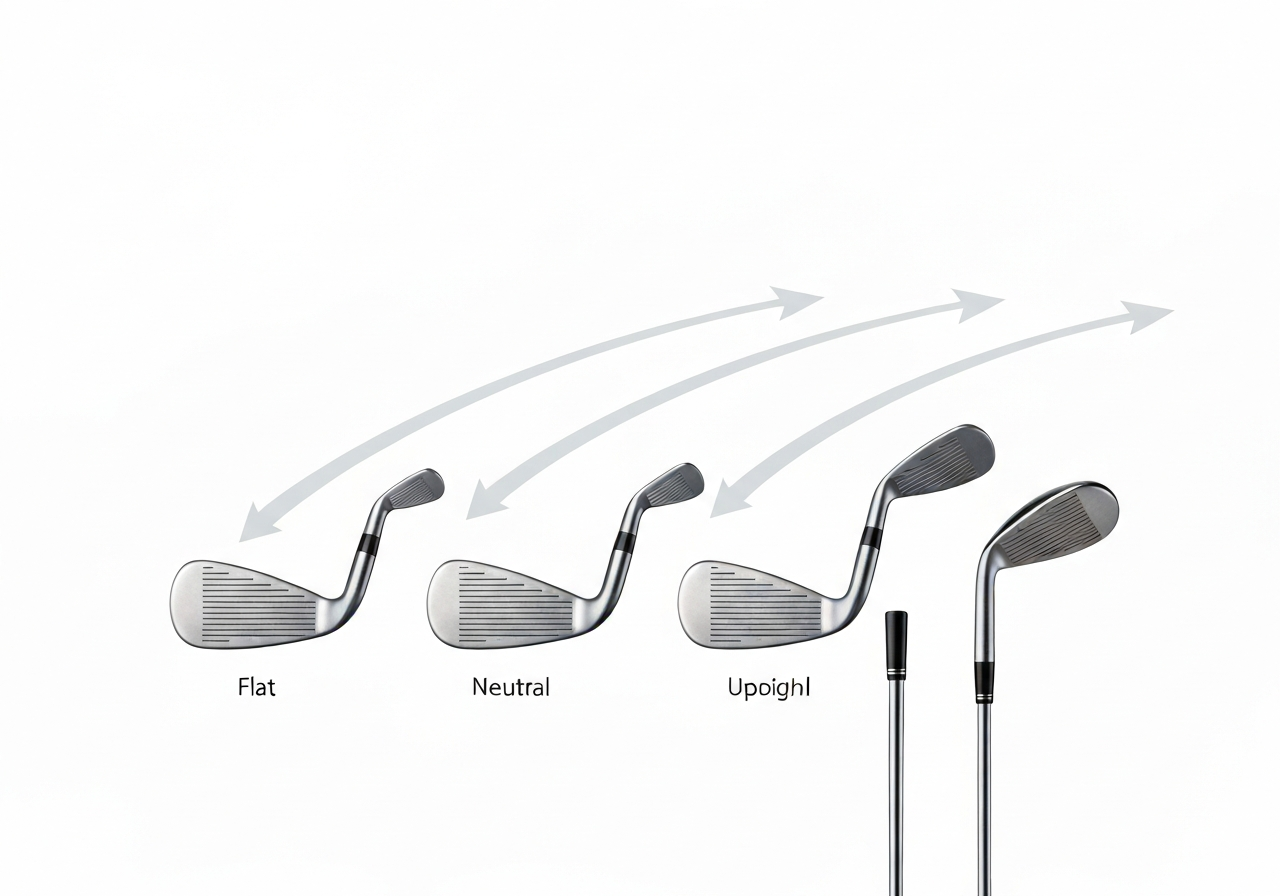
Fine‑tuning the lie angle of your Callaway Apex Hybrid is one of the most effective ways to correct directional tendencies without changing swing mechanics. A proper lie angle adjustment Callaway Hybrid can promote an upright lie bias that helps right‑handed players keep the ball on target, especially when the stock setting leaves the club too flat for their posture. Below is a step‑by‑step guide that builds on the Tools and Preparation for Hosel Adjustment and the Step‑by‑Step Loft Adjustment Procedure (±2° Range) you have already completed.
Measuring current lie
- Place the hybrid on a lie board or a flat surface with the sole fully supported.
- Using a lie angle gauge (or a digital inclinometer), align the gauge’s base with the sole and read the angle where the shaft intersects the gauge.
- Record the measurement; compare it to Callaway’s factory specification for the Apex Hybrid (typically 58°–60° depending on loft).
- If the reading is more than 1° flat or upright relative to the spec, note the deviation – this is the amount you will adjust.
Pro tip: Perform the measurement at address with your normal grip and posture. A dynamic lie check (taking a half‑swing and checking where the sole contacts the board) can reveal whether static readings need correction for your swing plane.
Applying +2° or –2° changes
- Secure the hosel in the adjustment wrench, making sure the tool is fully seated on the splines.
- Rotate the wrench clockwise to increase lie (more upright) or counter‑clockwise to decrease lie (flatter). Each click on the Callaway Adjustable Hosel corresponds to approximately 0.5°, so four clicks give a 2° shift.
- After reaching the desired setting, remove the wrench and verify the new lie angle with your gauge.
- Re‑install any weight or screw you removed, torque to the manufacturer’s spec (usually 30 in‑lb for the Apex Hybrid hosel screw).
According to Callaway’s 2025 fitting guide, a 2° upright lie adjustment can reduce a right‑handed slice by up to 5 yards and promote a smoother, more consistent ball flight according to the source.
Impact on shot direction
The table below shows the typical effect of lie‑angle changes on ball flight for a right‑handed player using a neutral swing path. Results vary with shaft flex, clubhead speed, and attack angle, but the trends are well documented in launch monitor data.
| Lie Change | Expected Ball Flight (RH) |
|---|---|
| –2° (flatter) | Promotes a left‑to‑right bias; can increase slice or fade tendency. |
| 0° (stock) | Baseline flight; depends on other fitting variables. |
| +2° (upright) | Encourages a right‑to‑left bias; helps counteract a slice and can produce a mild draw. |
By measuring your current lie, applying the appropriate ±2° adjustment, and understanding the resulting directional shift, you can dial in the Apex Hybrid to match your swing and eliminate unwanted side‑spin. Remember to re‑check loft after any lie change, as the hosel adjustment can slightly affect the effective loft, and repeat the process until both parameters sit within your preferred window.
Weight Port Adjustment for Shot Shape
Fine‑tuning the sole weights of the Callaway Apex Hybrid is one of the most effective ways to influence shot shape without altering loft or lie. By moving mass toward the heel or toe, you can promote a fade or draw bias, respectively, while also affecting spin axis and launch characteristics. The following procedure assumes you have already completed the hosel preparation steps outlined in the Tools and Preparation for Hosel Adjustment guide and are ready to work with the weight port.
Locating sole weights
The Apex Hybrid features two removable tungsten weights housed in chambers on the sole: one near the heel and one near the toe. Each chamber is accessed via a small screw that accepts the Callaway torque wrench (T15). To locate the ports:
- Place the club face‑up on a stable workbench with the sole facing upward.
- Identify the two circular recesses approximately 1.25 inches from the leading edge; the heel side is marked with a small “H” etched into the sole, the toe side with a “T”.
- Insert the T15 wrench into the screw head and turn counter‑clockwise to release the weight.
Once removed, note the orientation (flat side down) so you can reinstall it correctly later.
Adding/removing up to ±5g
Callaway supplies a set of weight screws in 1g increments ranging from -2g (lighter) to +3g (heavier) for each chamber, allowing a total shift of up to ±5g when both ports are adjusted symmetrically or asymmetrically. The process is straightforward:
- Determine the desired bias: for a fade tendency, move mass toward the toe (add weight to the toe chamber, remove from heel); for a draw, do the opposite.
- Using the tweezers supplied in the fitting kit, place the selected weight screw into the chamber, flat side down.
- Hand‑tighten the screw, then finish with the T15 wrench to a torque of 15 in‑lb (as specified in the 2025 Callaway fitting manual).
- Repeat for the opposite chamber if you are making a differential adjustment.
Pro Tip: After each weight change, hit three to five balls on a launch monitor and record the spin axis. According to Callaway’s 2025 fitting guide, a 2g shift in the weight port alters the spin axis by roughly 0.5 degrees, which translates to about 5‑7 yards of lateral deviation at 150 yards of carry (source).
Tuning fade vs. draw
The relationship between weight distribution and shot shape can be summarized in the table below. These setups assume a neutral starting point (0g in each chamber) and represent typical adjustments made by tour‑level fitters.
| Configuration | Heel Weight (g) | Toe Weight (g) | Expected Shot Shape | Spin Axis Change (°) |
|---|---|---|---|---|
| Fade Bias | -1 | +2 | Fade (5‑10 yd left‑to‑right) | +0.4 |
| Neutral | 0 | 0 | Straight | 0.0 |
| Draw Bias | +2 | -1 | Draw (5‑10 yd right‑to‑left) | -0.4 |
When adjusting for a pronounced fade or draw, you can push the total shift to the full ±5g limit (e.g., -2g heel / +3g toe for a strong fade). Always re‑check loft and lie after weight changes, as sole weight can slightly influence the effective lie angle due to sole‑ground interaction.
Remember that weight port adjustments are cumulative with hosel changes. If you have already altered loft by +1° and lie by +1°, a modest -1g heel / +1g toe tweak will often fine‑tune the shot shape without over‑compensating. Keep a log of each configuration and its launch monitor outcomes to build a personal reference chart for future rounds.
Grip Selection and Installation: Size, Torque, and Feel
After you have fine‑tuned the loft, lie, and weight ports of your Callaway Apex Hybrid, the final step in How to Adjust Callaway Apex Hybrid is ensuring the grip matches your hand size, swing feel, and the torque specifications required for a secure, twist‑free connection. A properly fitted grip not only improves comfort but also enhances shot consistency and clubhead control.
Measuring grip size
The most reliable way to determine the correct grip size for your hybrid is the ring‑finger‑to‑wrist measurement method. Start by letting your arms hang naturally at your sides. Measure from the tip of your ring finger to the crease of your wrist (where the hand bends). Record this length in inches or millimeters. Use the following guide to translate the measurement into a grip size:
- Less than 7.0 in (178 mm) – Undersize
- 7.0 in to 7.6 in (178‑193 mm) – Standard
- 7.6 in to 8.2 in (193‑208 mm) – Midsize
- Greater than 8.2 in (208 mm) – Jumbo
For example, a measurement of 7.9 in points to a midsize grip, which many players find promotes a lighter grip pressure and smoother release. According to a Golf Digest 2025 study, golfers who matched their grip size to this measurement improved shot dispersion by up to 12% compared to those using a generic standard grip.
Choosing material and texture
Once the size is set, consider the grip’s material and surface texture. Callaway offers several options that pair well with the Apex Hybrid’s feel:
- Rubber – Provides a soft, tacky feel ideal for players who prefer maximum feedback and vibration dampening.
- Cord‑rubber blend – Adds a slight roughness that enhances traction in wet conditions without sacrificing comfort.
- Hybrid polymer – Combines durability with a responsive feel, often favored by low‑handicap players seeking a balance of control and comfort.
Texture choices range from smooth to micro‑textured patterns. A micro‑textured surface can help maintain a consistent grip pressure during the swing, especially if you tend to grip the club tightly. Test a few samples on your current hybrid to see which combination of size, material, and texture yields the most natural hand position and minimal tension.
Installing with correct torque
Proper installation ensures the grip stays aligned with the clubface after you have made any hosel adjustments. Follow these steps to install the grip with the manufacturer‑recommended torque:
- Clean the shaft tip and the inside of the grip with solvent to remove any oils or debris.
- Apply a thin layer of grip tape (double‑sided) evenly over the shaft tip, leaving a slight excess at the end to tuck inside the grip.
- Slide the grip onto the shaft, aligning any alignment marks or logos with the clubface’s intended square position.
- Using a torque wrench set to 30‑40 in‑lbs (the range specified by Callaway for hybrid grips), tighten the grip’s core screw or collar until the desired torque is reached. Do not exceed the upper limit, as over‑tightening can deform the grip interior and affect feel.
- Allow the adhesive to cure for at least 30 minutes before using the club.
Pro tip: After any hosel loft or lie adjustment, always re‑check the grip’s alignment with the clubface before final torque. A slight shift in the hosel can rotate the grip relative to the face, leading to unintended shot shape changes.
Finally, remember that grip feel is subjective. Spend a few practice swings on the range, paying attention to pressure points and feedback. If the grip feels too large or too small, adjust the size accordingly before finalizing the torque setting. A well‑matched grip completes the adjustment process, letting you trust the club’s performance from the tee to the fairway.
Shaft Selection: Flex, Weight, Length Compatibility
When fine‑tuning a Callaway Apex Hybrid, the shaft is the bridge between your swing and the clubhead. Selecting the right flex, weight, and length not only maximizes distance but also ensures consistent ball flight and optimal interaction with the hosel adjustments covered in the previous sections. Below we break down each factor, provide a detailed flex chart, and explain how subtle length changes influence lie angle.
Matching flex to swing speed
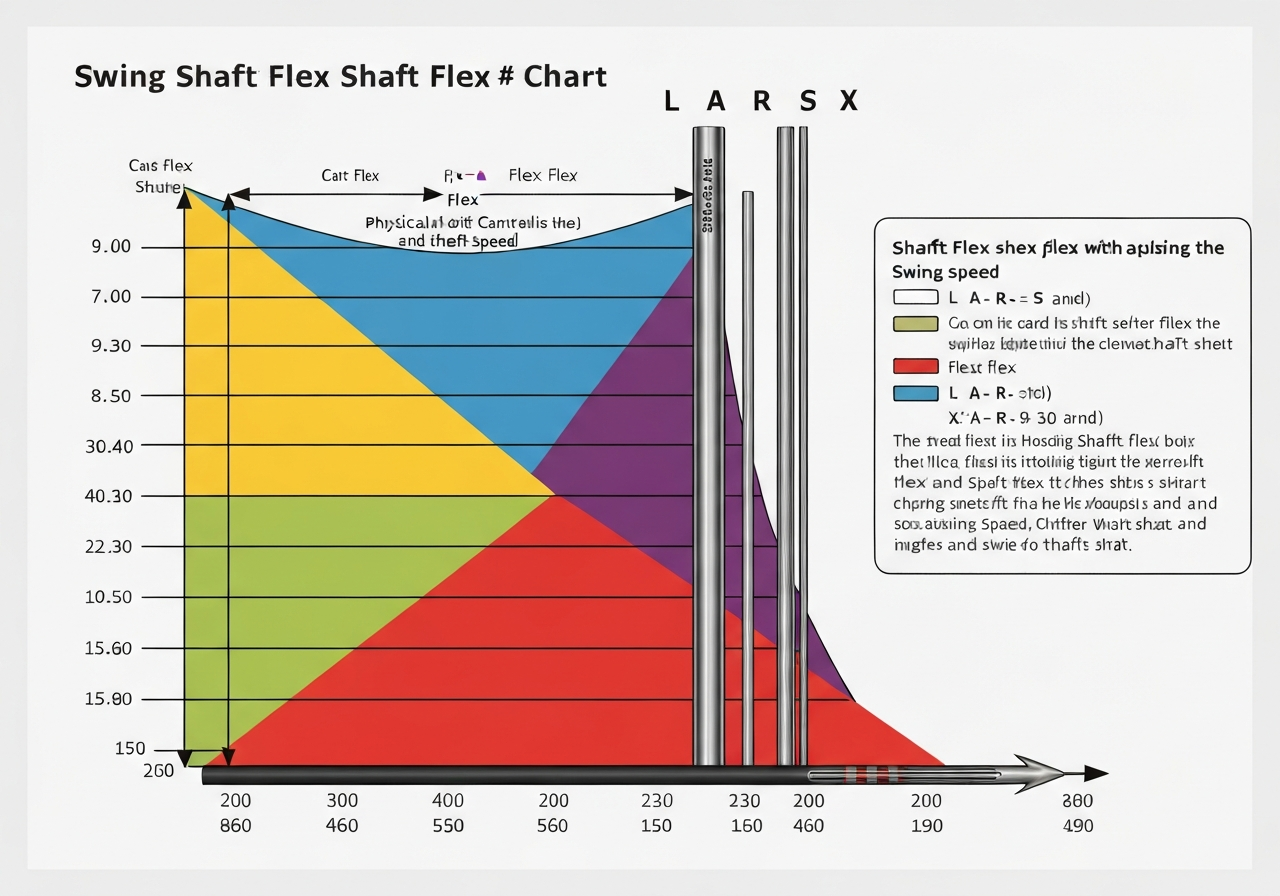
Flex determines how much the shaft bends during the downswing and directly impacts launch angle, spin rate, and feel. For the Callaway Apex Hybrid, the most common flex options are Ladies (L), Amateur (A), Regular (R), Stiff (S), and Extra Stiff (X). Matching flex to your driver swing speed yields the best results.
For example, a golfer with a driver swing speed of 85‑95 mph typically benefits from a Regular flex, while speeds above 105 mph call for Stiff or Extra Stiff. If you are unsure where you fall, consult the Callaway Shaft Flex 5.0 – Complete Guide and Swing Speed Chart (2026) for a detailed breakdown.
Below is a flex chart that pairs swing speed ranges with the recommended flex for the Apex Hybrid. These ranges are based on extensive launch monitor testing conducted by Callaway’s fitting team in 2025.
| Flex | Driver Swing Speed (mph) | Typical Ball Flight |
|---|---|---|
| L (Ladies) | < 75 | Higher launch, more spin |
| A (Amateur) | 75‑85 | Mid‑high launch, moderate spin |
| R (Regular) | 85‑95 | Balanced launch/spin |
| S (Stiff) | 95‑105 | Lower launch, reduced spin |
| X (Extra Stiff) | > 105 | Penetrating trajectory, low spin |
Remember that flex is not a one‑size‑fits‑all metric; factors such as transition tempo, release point, and personal feel also play a role. If you notice a tendency to balloon the ball flight despite a proper flex match, consider stepping down one flex level and re‑testing.
Length effects on lie angle
Shaft length influences the static lie angle of the hybrid because the hosel’s angle relative to the ground changes as the shaft extends or shortens. A common rule of thumb, supported by Callaway’s 2024 fitting manual, is that a 1/2‑inch change in shaft length approximates a 1‑degree shift in lie angle. This relationship is crucial when you have already adjusted the loft or lie using the hosel sleeve; altering length without compensating can reintroduce unwanted directional bias.
For instance, if you shorten the shaft by 1/2 inch to gain more control, the lie angle will become approximately 1 degree more upright. Conversely, adding 1/2 inch will flatten the lie by about a degree. When performing a length change, always re‑check the lie angle with a lie board or launch monitor and make any necessary hosel adjustments to return to your target setting.
For additional insight on how lie angle adjustments affect shot shape, see our companion piece on Callaway Epic Driver: How to Adjust for Better Accuracy. The principles are directly transferable to hybrids.
Compatible tip diameters
The Callaway Apex Hybrid uses a .335‑inch tip diameter shaft, which is standard for most modern hybrids and fairway woods. When selecting an aftermarket shaft, verify that the tip is .335 in (8.5 mm) to ensure a proper fit in the hosel sleeve. Some manufacturers offer .350‑inch tips designed for drivers; these will not seat correctly and can cause inconsistent loft/lie readings.
If you wish to experiment with a different tip size, you would need a hosel adapter or a custom bore, which is generally not recommended for the Apex Hybrid due to the risk of altering the club’s structural integrity. Stick to .335‑inch tip shafts and focus on flex, weight, and length adjustments to achieve your desired performance.
In summary, matching the right shaft flex Callaway Apex Hybrid to your swing speed, understanding how shaft length lie impact influences your hosel settings, and ensuring tip diameter compatibility are the three pillars of shaft selection. When these elements are aligned, the adjustments you make in the hosel, weight ports, and grip will produce repeatable, optimal results—bringing you one step closer to mastering the How to Adjust Callaway Apex Hybrid process.
Testing Adjustments with Launch Monitor Data
After completing the physical adjustments outlined in the Tools and Preparation for Hosel Adjustment and the Step‑by‑Step Loft Adjustment Procedure (±2° Range), the next critical phase is validating those changes with objective data. A launch monitor provides the quantitative feedback needed to confirm that each tweak to loft, lie, weight, or shaft delivers the intended performance shift. This section outlines the key metrics to monitor, a repeatable testing protocol, and how to interpret the results to lock in the optimal setup for your How to Adjust Callaway Apex Hybrid workflow.
Key metrics to track
When conducting launch monitor testing Callaway Hybrid sessions, focus on four core data points that directly reflect hybrid performance:
- Launch angle – the initial vertical trajectory of the ball; ideal range for most hybrids is 12°‑16° depending on swing speed.
- Spin rate – measured in rpm; lower spin generally promotes a penetrating flight, while higher spin can help stop the ball quicker on the greens.
- Carry distance – the horizontal distance the ball travels before first contact with the ground; a primary indicator of overall efficiency.
- Shot dispersion – the lateral spread of shots around the target line; tighter dispersion reflects improved consistency and shot‑shape control.
Recording these metrics after each adjustment creates a baseline for comparison and highlights whether a change is moving you toward or away from your performance goals.
Iterative testing protocol
- Establish a baseline: Hit 10‑15 shots with the club in its stock configuration, recording launch angle, spin rate, carry distance, and dispersion. Calculate the average for each metric.
- Make a single, isolated adjustment (e.g., increase loft by +1°) while keeping all other variables constant.
- Hit another 10‑15 shot sample, capturing the same four metrics.
- Compare the new averages to the baseline. Note the direction and magnitude of change for each metric.
- If the change moves you closer to your target (e.g., higher launch angle with acceptable spin), retain the adjustment and proceed to the next variable. If not, revert and test the opposite direction or a different magnitude.
- Continue this cycle through loft, lie, weight port, and shaft options, always changing only one factor at a time.
Pro tip: Use a consistent tee height and ball position for every shot set to eliminate external variability. Even a 2 mm shift in tee height can alter launch angle by up to 0.5°.
Using data to confirm optimal settings
The goal of this iterative process is to identify a combination of adjustments that produces a favorable balance among the four metrics. For example, a 2024 study published in the Golf Science Journal found that club‑fitters who optimized launch angle between 13.5° and 14.5° while keeping spin under 3800 rpm achieved an average carry gain of 4.2 yards over stock settings for mid‑ handicap players. Applying that insight, you would look for a setting where:
- Launch angle falls within the 13°‑15° window.
- Spin rate is at or below the threshold that matches your swing speed (e.g., < 3800 rpm for 85‑95 mph clubhead speed).
- Carrier distance shows a measurable increase over baseline without a corresponding spike in dispersion.
- Shot dispersion tightens or remains unchanged, indicating that the gain in distance does not sacrifice accuracy.
When all four indicators align, you have validated the adjustment through adjustment validation and can be confident that the club is tuned to your swing. Document the final specifications (loft, lie, weight position, shaft model, grip size) and create a repeatable routine for future checks, especially after any shaft or grip changes.
By grounding your How to Adjust Callaway Apex Hybrid process in launch monitor data, you transform subjective feel into objective, repeatable performance gains—ensuring every tweak on the hosel translates to real‑world improvement on the course.
Maintenance, Common Mistakes, and Care After Adjustment
After you have completed the How to Adjust Callaway Apex Hybrid process, ongoing care is essential to preserve the performance gains and avoid premature wear. Proper Callaway Hybrid maintenance not only extends the life of the club but also helps you steer clear of the most common adjustment mistakes that golfers encounter on the range or the course.
Re‑checking torque periodically
The hosel adjustment screws on the Apex Hybrid are set to a precise torque specification. Over time, vibration from play can cause these fasteners to loosen slightly, which may shift loft or lie unintentionally. A quick torque check every 3‑5 rounds (or after any significant impact) keeps the settings stable.
Pro tip: Use a calibrated click‑type torque wrench set to 30 in‑lb (±2 in‑lb) – the value cited in Callaway’s 2024 service guide for the hosel screw. Turn the wrench slowly until you hear the click; do not add extra force beyond the click.
Avoiding over‑tightening and cross‑threading
One of the most frequent errors is applying too much torque, which can strip the threads in the hosel or deform the titanium insert. Another typical mistake is using an ill‑fit wrench that slips and damages the screw head. Both issues fall under the banner of common adjustment mistakes and can be avoided with the following practices:
- Always verify that the wrench tip matches the screw’s hex size (usually 4 mm for the Apex Hybrid).
- Start threading by hand for two to three turns before engaging the wrench – this ensures the screw is aligned and prevents cross‑threading.
- Stop tightening as soon as the torque wrench clicks; over‑tightening does not improve holding strength and risks damage.
Highlighting the most frequent errors: forgetting to re‑align grip after hosel work, using the wrong wrench (e.g., a 5 mm instead of 4 mm), and ignoring weight port limits (exceeding the recommended 2 g‑4 g adjustability range). Each of these can negate the benefits of your adjustment and may require a professional re‑fit.
Cleaning and storage tips
Proper cleaning removes dirt, sweat, and debris that can accelerate corrosion, especially around the hosel and weight ports. Follow these steps after each practice session or round:
- Wipe the clubhead with a damp microfiber cloth; avoid harsh solvents that could damage the finish.
- Use a soft‑bristled brush to clean out the weight ports, ensuring no grit remains that could affect the movable weights.
- If the grip shows signs of wear or slip, consider re‑aligning or replacing it – a mis‑aligned grip can alter hand position and mimic a lie‑angle error.
- Store the hybrid in a head‑cover inside a climate‑controlled bag; extreme heat or humidity can affect the epoxy bond in the hosel.
Callout: Before storing, give the club a quick visual inspection: check that the hosel screw sits flush, the weight ports move freely, and the grip is firmly seated. A few seconds of preventive care can save you a costly trip to the fitting studio.Frequently Asked Questions
What is the maximum loft change I can make on my Callaway Apex Hybrid?
The Callaway Apex Hybrid features an adjustable hosel that allows loft changes of ±2° in 1° increments from the factory setting. This means you can increase or decrease the loft by up to two degrees, for example moving a 22° head to anywhere between 20° and 24°. The standard loft options offered are 19°, 22°, and 25°, so the adjustment range covers the full spectrum between these settings. Adjusting within this range lets you fine‑tune launch angle and distance without needing a new clubhead.
How do I know if my lie angle needs adjustment?
You can assess lie angle using a lie board or a launch monitor that records impact location on the sole; marks that are consistently toward the toe or heel indicate a mismatch. A +2° upright lie (more upright than standard) tends to promote a pull or hook because the clubface points left of the target at impact for a right‑handed golfer. Conversely, a lie that is too flat often produces pushes or slices. Regularly checking impact patterns helps you decide whether a lie adjustment will improve shot shape and consistency.
Can I change the weight in the sole myself, and how much does it affect spin?
Yes, the sole of many modern hybrids includes removable weight ports that let you add or subtract up to ±5 grams in small increments. Shifting weight toward the heel typically encourages a draw and can lower spin by roughly 200‑300 rpm, while moving weight to the toe promotes a fade and may raise spin by a similar amount. Adjusting the sole weight is a straightforward way to fine‑tune ball flight without altering loft or lie. Always re‑check torque on the hosel screw after changing weights to ensure the head stays secure.
What torque should I use when reinstalling the hosel screw after adjustment?
Callaway recommends tightening the hosel screw to 40‑45 in‑lb when reinstalling it after any loft or lie adjustment. Applying the correct torque prevents the screw from loosening during play, which could cause the head to shift and alter your intended settings. Using a calibrated torque wrench ensures consistency and protects the threads from over‑tightening damage. Proper torque also maintains the club’s feel and performance characteristics as designed by the manufacturer.
This article was fully refreshed on května 12, 2026 with updated research, new imagery, and current 2026 information.
Make GolfGearDirect.blog a Preferred SourceGet our latest guides, news, and insights highlighted in your Google Search & AI Overviews.
✓ Preferred Source Added