Tools and Preparation for Adjusting Your R9 460 Driver
Before making any changes to your clubhead, gather the correct equipment to ensure safety and precision. The most critical item is a calibrated TaylorMade torque wrench. You must set this tool to exactly 40 in-lbs to avoid stripping the screw or damaging the hosel mechanism. Over-tightening can permanently lock the shaft, while under-tightening leads to unwanted movement during your swing. Using a generic wrench often results in incorrect torque readings, so stick to the manufacturer specification.
Required Tools: Torque Wrench and Settings Chart
Alongside your wrench, keep the official FCT settings chart handy. This diagram explains how face angle and loft interact when you rotate the shaft. Since the R9 460 combines FCT technology with movable weights, referencing the weight chart ensures you understand how each configuration affects draw or fade bias.
Pre-Adjustment Baseline: Measuring Current Performance
Never adjust blindly. You need baseline launch monitor data to measure the impact of your changes accurately. Record your current carry distance, spin rate, and dispersion pattern before touching the screw. If you are unsure how to capture these metrics effectively, learn how to use launch monitors for driver fitting to establish a reliable comparison point. This data-driven approach prevents unnecessary tweaks and helps you dial in the perfect setting for your swing.
Step-by-Step Guide to Adjusting Weights for Draw/Fade Bias
Weight Port Locations and Removal Procedure
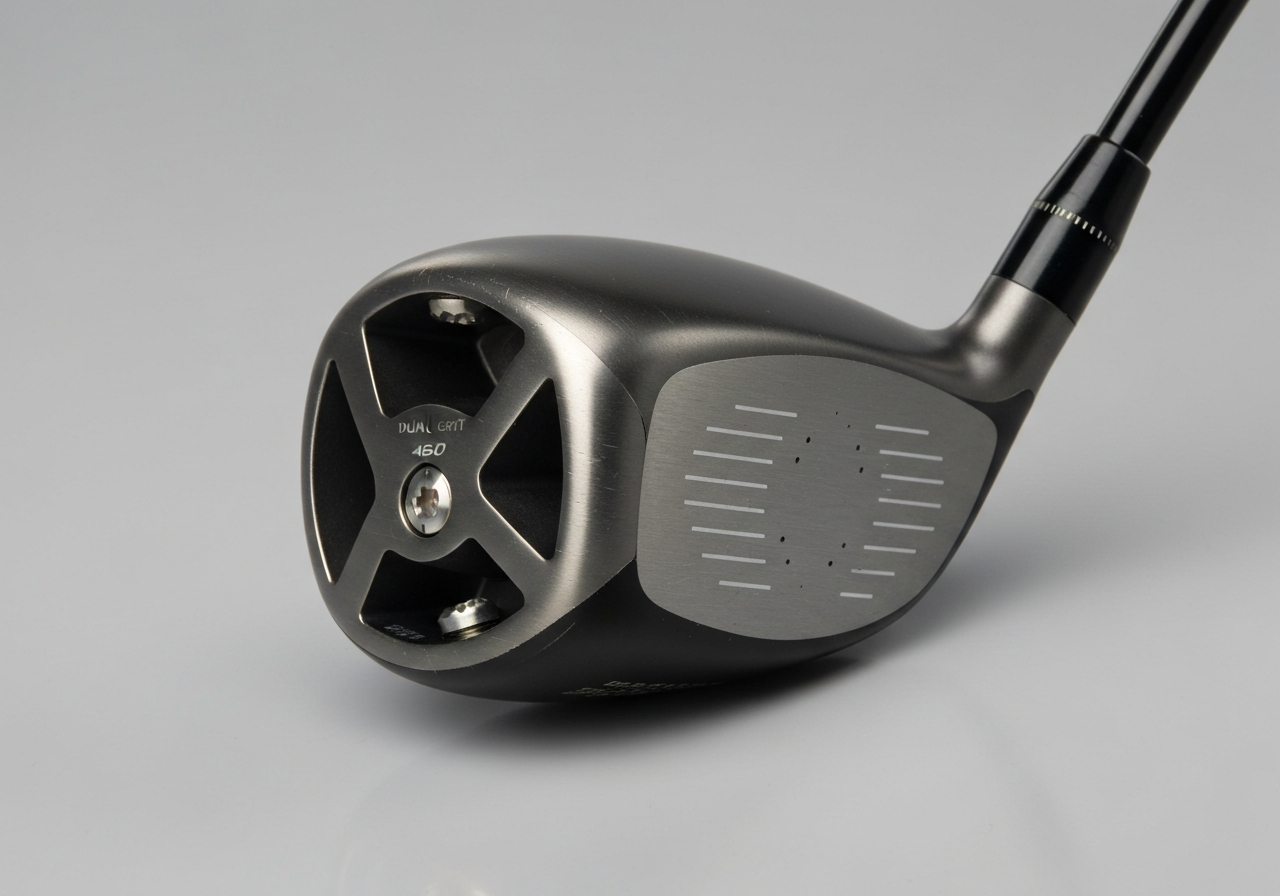
The TaylorMade R9 460 features a dual-weight system located on the sole plate. To adjust, use the provided wrench to loosen the screws carefully. TaylorMade specifies a torque setting of 40 in-lbs to ensure security without stripping the threads. The kit includes movable weights ranging from 1g to 10g. As noted in an Independent Golf Reviews analysis, the head offers multiple positions from closed to open, working in tandem with weight placement to fine-tune performance.
Heel vs. Toe Weighting: Impact on Shot Shape
Placing heavier weights in the heel promotes a draw bias by helping to close the face at impact. Conversely, moving mass to the toe encourages a fade bias. This manipulation creates a significant center of gravity shift that alters the spin axis and trajectory. Mastering this requires understanding center of gravity in golf drivers to correct path issues effectively.
Recommended Weight Configurations for Common Misses
For consistent slicers, install the 10g weight in the heel port and the 1g weight in the toe to maximize draw potential. Hookers should reverse this configuration by placing the heavy weight in the toe to stabilize the face. Always test changes on the range before committing to tournament play. Proper weighting combined with face angle adjustments ensures optimal launch conditions for your swing style.
Movable weights in heel and toe positions allow CG adjustment for shot shape control
How to Use Flight Control Technology (FCT) to Adjust Loft and Face Angle
The TaylorMade R9 460 utilizes Flight Control Technology to give golfers precise control over ball flight. This system centers on an innovative 8-position hosel that allows for significant customization without needing multiple clubs.
Understanding the 8-Position Hosel System
The hosel features eight distinct settings marked on the sleeve. This provides loft adjustability 7.5 to 11.5 degrees in 0.5 degree increments. Each setting corresponds to a specific lie and face orientation, allowing you to fine-tune launch conditions based on your swing speed and attack angle.
Loft and Face Angle Trade-
Shaft Selection: Matching Flex and Length to Your 2026 Swing Profile
While the TaylorMade R9 460 offers significant adjustability via Flight Control Technology, the shaft remains the engine of your driver. According to official TaylorMade specifications, the standard club length is 45.75 inches with a D4 swing weight, but
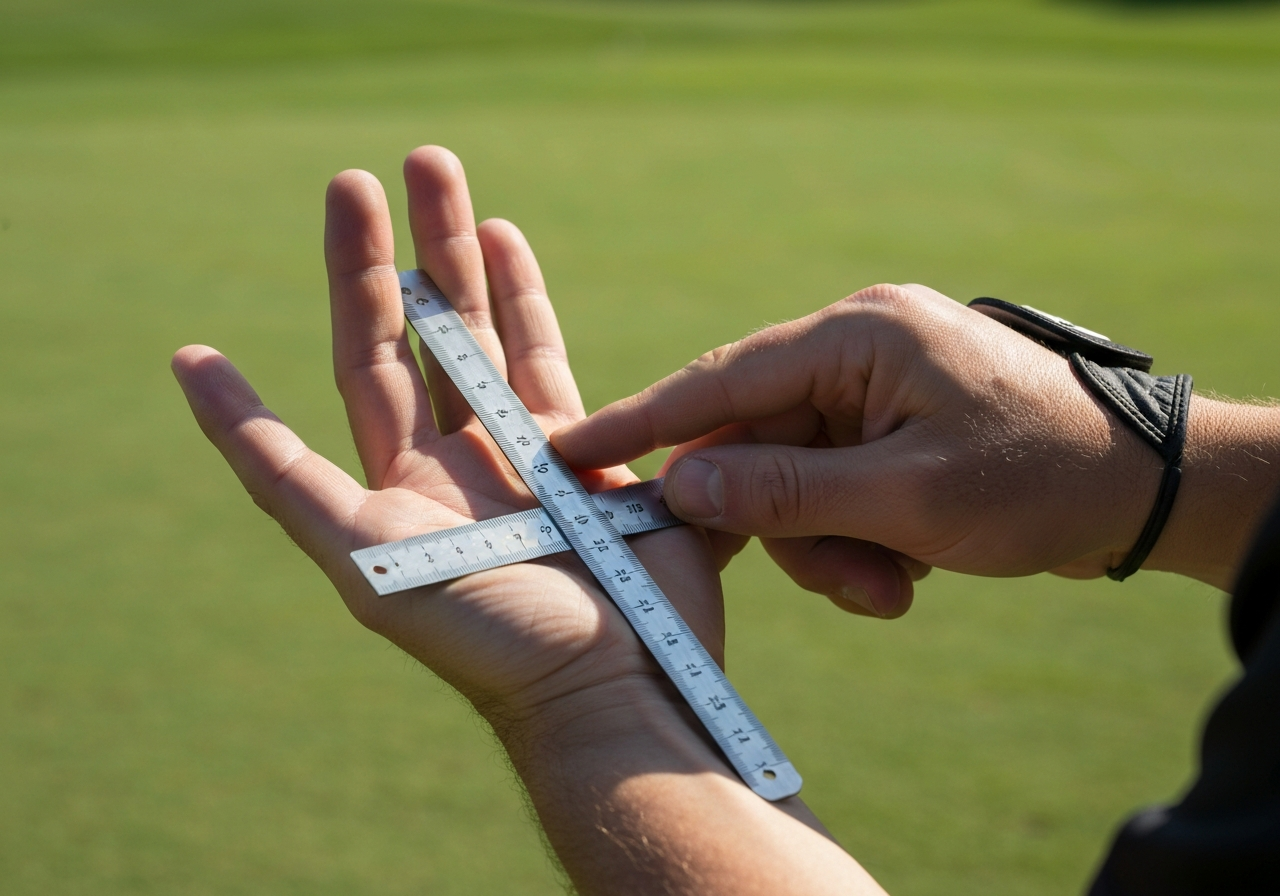
Grip size should be measured, not guessed, for consistent pressure and control
Grip Installation and Maintenance for Consistent Control
Measuring for Correct Grip Size
Accurate grip size measurementTesting Your Adjustments: Using Launch Monitors and On-Course Validation
Once you have manipulated the Flight Control Technology and sole weights on your TaylorMade R9 460, data confirms the results. Even though this model debuted in 2009, its Inverted Cone Technology still delivers fast ball speeds on off-center hits, according to Golf.com. Proper testing ensures these legacy features work in harmony with your 2026 swing.
Key Metrics to Monitor: Launch Angle, Spin Rate, Smash Factor
Effective launch monitor driver testing focuses on three core numbers. Aim for an optimal launch angle that maximizes carry without sacrificing roll. Monitor spin rate to ensure stability in windy conditions, and track smash factor to verify center-face contact. These metrics reveal if your weight configuration is truly optimizing the center of gravity for maximum energy transfer.
On-Course Validation: Dispersion and Shot Consistency
Range data is only half the equation. You must perform on-course validation to assess dispersion and shot consistency under real playing conditions. Environmental factors often change ball flight compared to a simulator. Learn more about how to validate driver changes on the course to ensure your settings hold up during actual rounds.
Iterative Adjustment Process for 2026
Adopt an iterative fitting process for the best results. Adjust one variable at a time, test, and record the outcome before moving to the next setting. Small tweaks to loft or face angle can drastically change flight path. By refining your setup through repeated testing, you ensure the classic R9 460 performs reliably in the modern game.
What is the correct loft range for the TaylorMade R9 460 driver with FCT?
The R9 460 Flight Control Technology allows loft adjustment from 7.5° to 11.5° in 0.5° increments across 8 positions, not 8° to 12° as commonly misstated.
How much can adjusting the weights in the R9 460 driver affect shot shape?
Moving the adjustable weights between heel and toe positions can shift the center of gravity enough to influence shot shape by approximately 5-7 yards laterally, helping correct slices or hooks.
What torque specification should I use when adjusting my R9 460 driver?
Both the hosel screw and weight ports on the TaylorMade R9 460 require exactly 40 in-lbs of torque; over-tightening can damage the club or strip threads, while under-tightening may allow slippage during play.
This article was fully refreshed on dubna 29, 2026 with updated research, new imagery, and current 2026 information.
Make GolfGearDirect.blog a Preferred Source
Get our latest guides, news, and insights highlighted in your Google Search & AI Overviews.