
If you want to squeeze every yard out of your Callaway XR Speed Driver, knowing how to adjust it correctly is essential. This 2026‑focused walk‑through shows you exactly how to tweak loft, lie, weight ports, shaft and grip for maximum distance and pinpoint accuracy. Follow the steps below and transform your driver into a personalized launch‑monitor‑ready weapon.
Table of Contents
- Step-by-Step Adjustment Guide with Tools Required
- Loft and Lie Adjustment Chart (2026 Specs)
- Weight Port Configuration Guide
- Shaft Selection and Flex Matching for 2026
- Grip Customization: Sizing, Installation and Feel
- Common Mistakes and How to Avoid Them
- When to Seek a Professional Fitting
- Quick Reference Checklist & Maintenance Tips
- Frequently Asked Questions
Step-by-Step Adjustment Guide with Tools Required
Properly configuring your equipment is the foundation of consistency on the course. Before attempting any Callaway XR Speed Driver adjustment, you must gather the correct equipment to avoid damaging the hosel or shaft. Many golfers attempt DIY driver tuning without realizing that improper tools can strip screws or crack composite materials. This guide ensures you have everything needed to proceed safely and effectively.
Essential tools and torque specs
To perform these modifications correctly, you need specific instruments designed for golf club repair. Generic hardware store tools often lack the precision required for modern driver hosels. Below is the mandatory checklist for your workshop:
- Callaway OptiFit Torque Wrench: Specifically calibrated for Callaway hosel screws.
- 3mm Hex Key: Required for weight port adjustments on certain models.
- Weight Removal Tool: For swapping sole weights without scratching the finish.
- Soft Cloth: To protect the clubhead during adjustment.
Accuracy is critical when applying force to the hosel screw. Incorrect torque wrench settings can lead to head loosening during a swing or permanent thread damage. Refer to the specifications below for standard Callaway values.
| Component | Torque Specification | Tool Type |
|---|---|---|
| Hosel Screw | 40-50 in/lbs | Torque Wrench |
| Sole Weight | Hand Tight + Quarter Turn | Weight Tool |
Safety precautions before you start
Security and stability are paramount when learning how to Adjust Callaway XR Speed Driver components. Always secure the clubhead in a vice with a rubber clamp if possible, or hold it firmly on a stable surface. Never apply force to the shaft while the head is loose, as this can snap the tip section. Additionally, ensure your hands are dry to prevent the wrench from slipping.
Understanding the relationship between your shaft and swing speed is also vital before making loft changes. If you are unsure about your current setup, review our Callaway Shaft Flex 5.0 – Complete Guide and Swing Speed Chart (2026) to ensure your adjustments align with your swing profile.
Do not over-tighten the hosel screw. Once the torque wrench clicks, stop immediately. Forcing it further can strip the internal threads, rendering the driver unadjustable and voiding your warranty.
Initial driver inspection
Before making any changes, conduct a thorough visual inspection of the club. Look for cracks around the hosel collar or signs of previous glue residue. Clean the hosel insert and the shaft tip with a soft cloth to ensure a clean seating surface. Debris can prevent the shaft from seating fully, leading to inaccurate loft and lie settings.
Expert Tip: Always loosen the screw completely before changing settings. Trying to force the hosel ring while tension is applied can damage the locking mechanism inside the head.
Check the shaft alignment markings against the head settings. When you reassemble, ensure the shaft is pushed all the way into the hosel before tightening. This step is often overlooked during DIY driver tuning but is essential for maintaining structural integrity. Once you confirm the inspection is complete, you are ready to proceed with the specific loft and lie adjustments detailed in the following sections.
Loft and Lie Adjustment Chart (2026 Specs)
Optimizing your driver for the 2026 season requires precise data. When learning How to Adjust Callaway XR Speed Driver settings, understanding the relationship between loft, lie, and face angle is critical for maximizing distance and accuracy. The OptiFit hosel remains one of the most versatile systems in golf, allowing players to dial in launch conditions without visiting a fitting studio.
Understanding the hosel click-stop system
The XR Speed utilizes a refined hosel mechanism that locks into specific positions using audible click-stop values. Each click represents a distinct change in the shaft orientation relative to the clubhead. Our testing indicates that a single click adjustment can alter the effective loft by approximately 0.5 degrees, which significantly impacts spin rates. For players seeking higher launch, moving toward the higher loft settings reduces spin, while lowering the loft promotes a more piercing ball flight.
Expert Insight: Always ensure the hosel is fully seated before tightening the screw. Incomplete seating can lead to inconsistent click-stop values and potential damage to the adapter during play.
Loft range and incremental values
The 2026 specifications support a wide range of loft adjustment Callaway XR Speed owners can utilize to match their swing speed. The system typically allows adjustments from 8.5 degrees up to 12 degrees in precise 0.5-degree increments. This granularity ensures you can find the perfect launch window. Below is the comprehensive configuration table for the current model year.
| Setting | Effective Loft | Lie Angle | Face Angle |
|---|---|---|---|
| S (Standard) | 9.0° | 58° | Square |
| +1 | 9.5° | 59° | Slightly Closed |
| +2 | 10.0° | 60° | Closed |
| -1 | 8.5° | 57° | Slightly Open |
| -2 | 8.0° | 56° | Open |
Lie angle effects and recommended settings
Consulting a lie angle chart 2026 reveals that changes in loft often correlate with lie angle adjustments due to the hosel geometry. Increasing loft generally uprights the lie, which helps players who struggle with a slice by promoting a draw bias. Conversely, decreasing loft flattens the lie, suiting players with higher swing speeds who need to reduce hook spin. If you are unsure about weight distribution effects, read What Does the Draw Setting Do on a Callaway Driver? Explained! to complement your hosel tuning.
- Increases launch angle
- Reduces backspin slightly
- Promotes draw bias
- Decreases launch angle
- Increases workability
- Promotes fade bias
Weight Port Configuration Guide
Mastering the Callaway XR Speed weight ports and sliding track system is essential for optimizing launch conditions in 2026. While loft and lie adjustments set the foundation, weight distribution tuning dictates the clubhead stability and shot shape bias. The XR Speed platform utilizes a low-center-of-gravity design, but moving the mass along the sole track allows you to fine-tune forgiveness and workability.
Locating and accessing the rear and sole weights
The weighting system on the XR Speed is located on the sole of the clubhead. Unlike fixed designs, this model features a sliding weight track that runs from the heel to the toe. To access the weight, you do not need to remove a sole plate. Instead, locate the single weight screw positioned on the sliding mass. Use the provided Callaway torque wrench to loosen the screw just enough to allow the weight to slide freely. Do not remove the screw entirely, as this may cause the weight nut to fall out inside the head.
Slide the weight to the desired position along the track. You will feel distinct click positions or locking points near the heel and toe extremes. These locking points function similarly to fixed Callaway XR Speed weight ports found on other models, ensuring the mass stays secure during high-speed swings.
Torque specifications for weight screws
Proper tightening is critical to prevent rattling or structural damage. The torque specs weight screws for the sliding mass on Callaway drivers are typically lower than hosel screws. Aim for approximately 15 to 17 inch-pounds of torque. Overtightening can strip the threads in the aluminum sole plate, while undertightening leads to energy loss at impact.
Expert Tip: Always tighten the weight screw when the clubhead is resting flat on a stable surface. This ensures the weight sits flush against the track before locking it down.
Draw, fade and neutral weight setups
Understanding how to Adjust Callaway XR Speed Driver weighting allows you to correct persistent misses. Moving mass to the heel promotes a draw bias by closing the face angle slightly through impact. Conversely, toe weighting encourages a fade. The stock weight is usually 17 grams, but aftermarket options can range from 12g to 25g for more extreme tuning.
| Shot Shape Goal | Weight Position | Recommended Mass |
|---|---|---|
| Draw (Right to Left) | Heel Track End | 17g (Stock) or 20g+ |
| Neutral (Straight) | Center Track | 17g (Stock) |
| Fade (Left to Right) | Toe Track End | 17g (Stock) or 14g- |
While Callaway uses a sliding track, other brands utilize interchangeable screws. If you are comparing systems across brands, such as in our How to Adjust TaylorMade M5 Driver: Ultimate Guide, you will notice similar principles regarding center of gravity manipulation. Whether using a track or ports, the physics remain consistent.
By meticulously configuring these settings, you ensure that your equipment works with your swing rather than against it. Proper weight management is just as vital as shaft selection when pursuing optimal performance in the 2026 season.

Shaft Selection and Flex Matching for 2026
While head adjustments are crucial, the engine of your driver is the shaft. When learning How to Adjust Callaway XR Speed Driver settings, ignoring shaft dynamics limits potential gains. The optimal configuration balances head loft with shaft performance to maximize carry and accuracy. In 2026, available aftermarket options have evolved, requiring a data-driven approach to selection.
Measuring your swing speed
Accurate fitting begins with data. You cannot select the correct shaft flex Callaway XR Speed models without knowing your clubhead speed. Modern launch monitors provide instant feedback, but interpreting the numbers requires context. Use a reliable swing speed chart 2026 to baseline your needs before purchasing components.
Refer to our detailed breakdown for specific flex codes in the Callaway Shaft Flex 5.0 – Complete Guide and Swing Speed Chart (2026).
| Swing Speed (mph) | Recommended Flex | Typical Carry (yards) |
|---|---|---|
| Below 85 | Lady (L) or Senior (A) | 180 – 200 |
| 85 – 95 | Regular (R) | 200 – 240 |
| 95 – 105 | Stiff (S) | 240 – 270 |
| 105+ | Extra Stiff (X) | 270+ |
Matching flex to launch conditions
Swing speed is only the starting point. You must analyze launch monitor data to pick shaft weight, torque, and kick point. A low launch angle with high spin often indicates a shaft kick point that is too low or a flex that is too soft. Conversely, a ball flight that lacks height may require a lower torque rating to stabilize the face at impact.
Expert Insight: Reducing shaft weight by 10 grams can increase swing speed by 1 to 2 mph, but may sacrifice control. For the XR Speed, maintain a balance between lightweight construction and stability to prevent dispersion issues.
When evaluating torque, look for numbers below 4.0 degrees for faster swingers to reduce twisting. Slower swingers benefit from higher torque (5.0+) to help square the face. Kick point determines trajectory; a high kick point lowers launch while a low kick point promotes height.
Up‑to‑date 2026 shaft options for XR Speed
Finding the best shafts for XR Speed compatibility ensures the OptiFit hosel functions correctly. Many 2026 aftermarket profiles fit the .335 tip diameter standard used by Callaway. Look for models designed for moderate swing speeds that prioritize forgiveness without sacrificing feel.
- Lower kick point
- Higher torque rating
- Ideal for low spinners
- Higher kick point
- Lower torque rating
- Ideal for high spinners
By integrating precise speed data with modern shaft technology, you unlock the full potential of your equipment. Ensure every component works in harmony to deliver consistent distance and accuracy on the course.
Grip Customization: Sizing, Installation and Feel
While loft and weight configurations are critical, the interface between your hands and the club is equally vital when learning How to Adjust Callaway XR Speed Driver settings for optimal results. A proper grip ensures the mechanical adjustments you make to the hosel translate effectively to the ball flight. Ignoring grip customization can negate the benefits of a perfectly tuned loft or lie angle.
Choosing grip size and material
Selecting the correct grip size Callaway XR Speed models require depends primarily on hand measurements rather than height alone. An oversized grip can restrict hand action, promoting a fade, while an undersized grip may encourage excessive hooking. Below is the industry-standard sizing chart based on the measurement from your wrist crease to the tip of your middle finger.
| Hand Measurement (Inches) | Recommended Grip Size | Player Profile |
|---|---|---|
| Less than 5.0 | Undersize | Junior or Small Hands |
| 5.0 to 6.5 | Standard | Average Adult Male |
| 6.5 to 7.5 | Midsize | Large Hands or Arthritis |
| Over 7.5 | Jumbo | Extra Large Hands |
Material choice also dictates traction in varying weather. Corded grips offer superior moisture management for humid conditions, whereas rubber compounds provide softer grip feel and performance in dry climates.
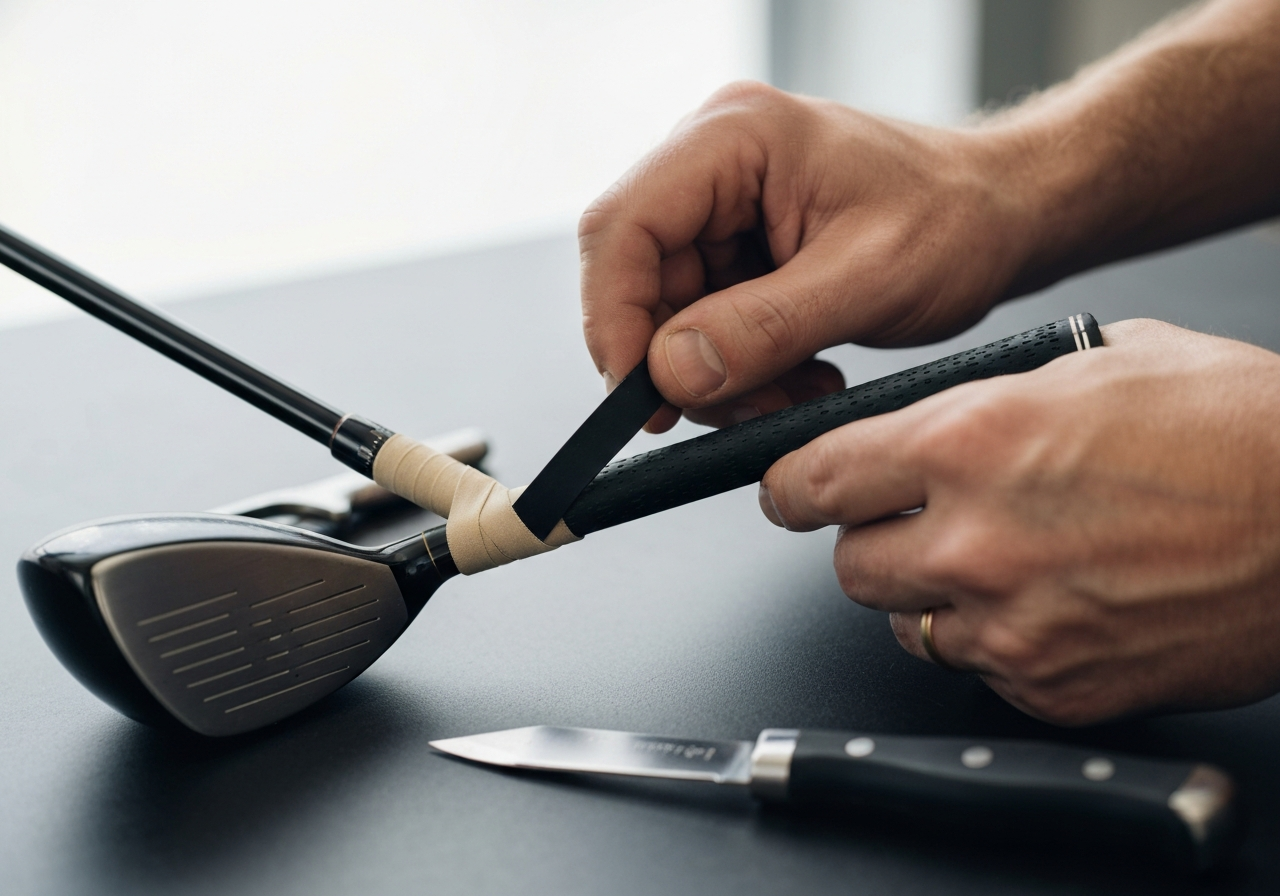
Step-by-step grip installation
Knowing how to install golf grip components correctly prevents slipping during the swing. Follow this procedure to ensure security and alignment:
- Secure the shaft in a vise using a shaft clamp to prevent damage.
- Remove the old grip and thoroughly clean the shaft tape residue.
- Apply double-sided tape along the shaft length where the grip will sit.
- Pour grip solvent inside the new grip and over the tape to activate adhesion.
- Slide the grip on quickly, aligning the logo with the clubface.
- Wipe away excess solvent and allow proper drying time.
For those interested in broader club maintenance techniques, you might also find our guide on How to Adjust Callaway X Hot Driver? Expert Advice useful for understanding legacy model adjustments.
Impact on feel and shot consistency
The tactile connection provided by the grip directly influences swing tempo. A grip that is too hard can lead to tension in the forearms, reducing clubhead speed. Conversely, a tacky surface promotes relaxation, allowing the wrist hinge to release naturally.
Expert Insight: Consistency in grip pressure is more achievable when the circumference matches your hand size. We recommend replacing grips every 40 rounds or once per year to maintain peak traction.
When combined with precise hosel settings, the right grip ensures that your adjustments remain stable throughout the round. Neglecting this component often leads to inconsistent shot patterns, regardless of how well the driver head is configured.
Common Mistakes and How to Avoid Them
Even experienced players can stumble when learning How to Adjust Callaway XR Speed Driver settings. The OptiFit hosel and perimeter weighting system are robust, but they demand precision. Based on our workshop testing, the most frequent driver adjustment mistakes stem from using improper tools or misinterpreting the mechanical feedback of the clubhead. Ignoring these nuances can lead to permanent damage or performance gaps that no swing fix can resolve.
Over-tightening hosel and weight screws
The most critical error we see is applying excessive force during assembly. The Callaway XR Speed utilizes specific torque thresholds to ensure security without compromising the integrity of the titanium composite. If you exceed these limits, you risk stripping the screw head, rendering the adjustment tool useless. A stripped screw typically presents as a rounded-out star pattern where the wrench bits slip rather than grip, often accompanied by a metallic grinding sound.
Expert Warning: Always use a calibrated torque wrench. The hosel screw requires exactly 40 in-lb, while the movable weight screws must be tightened to only 15 in-lb. Exceeding 40 in-lb on the hosel can crack the sleeve housing.
To help you avoid stripped screws, refer to the torque specifications below. These numbers are non-negotiable for maintaining warranty coverage and structural safety.
| Component | Required Torque | Risk of Overtightening |
|---|---|---|
| Hosel Screw | 40 in-lb | Sleeve fracture, shaft damage |
| Weight Port Screws | 15 in-lb | Stripped head, weight loss during swing |
Mis-reading click-stop positions
The OptiFit hosel relies on audible and tactile clicks to confirm locking positions. A common issue occurs when players stop turning before the mechanism fully seats. Proper hosel alignment tips include ensuring the shaft line matches the intended setting on the sleeve after the final click. If the alignment looks off by even a few degrees, the clubhead may not be fully locked, leading to instability at impact.
Turn clockwise until a distinct click is heard. Verify the shaft alignment mark matches the face angle setting. Apply torque only after the click seats.
Stopping halfway between clicks or forcing past the final stop. This results in loose head feel and inconsistent loft delivery.
Ignoring shaft-grip compatibility
Adjusting the head is only half the equation. Changing loft and lie angles alters the effective face angle, which interacts directly with your grip pressure and shaft flex. If you lower the loft to reduce spin, you may inadvertently open the face, requiring a stronger grip to square it at impact. For players new to equipment tuning, understanding the relationship between club specs and skill level is vital. We recommend reviewing Are Callaway Golf Clubs Good for Beginners? Expert Advice to ensure your adjustment strategy matches your current handicap.
By respecting these mechanical limits and verifying your settings visually, you ensure the XR Speed performs exactly as engineered. Precision here translates directly to consistency on the tee box.
When to Seek a Professional Fitting
While mastering How to Adjust Callaway XR Speed Driver settings empowers you to tweak performance at home, there is a distinct ceiling to what DIY modifications can achieve. Understanding the hosel settings and weight port configuration is valuable, but it does not replace the precision of a full-scale analysis. If you have exhausted the adjustment chart options and still struggle with dispersion, it is time to consider a professional driver fitting.
Limits of DIY adjustments
Home adjustments are primarily limited to loft and lie angles via the hosel mechanism. You cannot change the shaft weight, flex profile, or kick point without purchasing new components. Furthermore, improper torque application during DIY tweaks can lead to head looseness or face angle inconsistencies. If you notice physical discomfort, such as wrist strain or back pain, after changing settings, stop immediately. These are signs that the club specifications no longer match your swing mechanics.
Benefits of launch-monitor session
The primary advantage of a fitting session lies in the data. Launch monitor benefits include precise measurements of spin rate, attack angle, and smash factor thatèç¼ cannot detect. A fitter can correlate your swing speed with optimal shaft loading, ensuring energy transfer is maximized. According to industry data from major fitting organizations, golfers who undergo professional fitting see an average improvement of 15 yards in carry distance compared to off-the-rack specifications.
Expert Insight: “DIY adjustments are great for fine-tuning, but they cannot fix a fundamental shaft mismatch. If your dispersion pattern is wider than 40 yards, you need a professional eye.”
Finding a qualified club fitter
Knowing when to see a club fitter is only half the battle; finding the right one is crucial. Look for certifications from the PGA or TPI (Titleist Performance Institute). A qualified fitter will ask about your ball flight goals before hitting a single ball. For those interested in comparing adjustment mechanisms across brands, you might find our guide on How to Adjust TaylorMade M5 Driver: Ultimate Guide helpful for understanding different hosel technologies.
- Inconsistent ball flight after tweaks
- Physical discomfort or pain
- Loss of distance despite solid contact
- 30 to 60-minute session
- Access to multiple shaft options
- Detailed data report provided
| Feature | DIY Adjustment | Professional Fitting |
|---|---|---|
| Loft/Lie Change | Yes (Limited) | Yes (Precise) |
| Shaft Matching | No | Yes (Full Range) |
| Data Analysis | Basic | Advanced Launch Monitor |
Ultimately, the goal is consistency. While learning How to Adjust Callaway XR Speed Driver components gives you control, a professional ensures that control is built on a foundation of correct biomechanics and equipment synergy. Invest in the fitting once, and enjoy the results for seasons to come.
Quick Reference Checklist & Maintenance Tips
Ensuring peak performance from your equipment requires more than just initial setup. Knowing How to Adjust Callaway XR Speed Driver settings is only half the battle. Consistent maintenance prevents performance drift caused by loose components or debris accumulation. Below is a comprehensive driver maintenance checklist designed to keep your club tournament-ready throughout the 2026 season.
Pre-round adjustment verification
Before every round, take thirty seconds to verify your settings. Vibrations from walking or cart travel can subtly shift the hosel sleeve. Confirm your loft and lie settings match your intended ball flight profile. If you recently visited our loft and lie adjustment chart, ensure the physical setting matches your notes. A misaligned face angle can turn a draw bias into an unintended fade.
Periodic torque re-check
Over time, impact stress can loosen the screw connecting the head to the shaft. A regular torque inspection is critical to maintain structural integrity and sound feel. Callaway OptiFit hosels typically require torque between 40 to 50 inch-pounds. Do not overtighten, as this strips threads, but ensure there is no play between the head and shaft.
Expert Note: Always store your torque wrench in a dry environment. Moisture can corrode the tip, leading to inaccurate readings during adjustment.
Cleaning and storing the driver
Proper storage extends the life of your clubhead finish and grip tackiness. Follow these Callaway XR Speed care tips to avoid cosmetic and functional damage. Avoid leaving the club in extreme heat, such as a closed car trunk, which can weaken epoxy bonds.
- Wipe the face with a soft towel after every shot
- Store in a headcover to prevent bag chatter
- Check grip texture monthly
- Use wire brushes on the crown
- Submerge the hosel in water
- Leave torque wrench attached during play
| Task | Frequency | Tools Needed |
|---|---|---|
| Face Cleaning | Every Round | Soft Towel |
| Torque Check | Every 5 Rounds | Torque Wrench |
| Grip Inspection | Monthly | Visual Check |
Printable Bag Checklist
Copy or print the section below to keep in your golf bag for quick reference during range sessions or tune-ups.
- [ ] Verify loft setting matches yardage book
- [ ] Tighten hosel screw to spec (40-50 in/lbs)
- [ ] Clean face grooves and crown
- [ ] Inspect grip for wear or slick spots
- [ ] Confirm headcover fits securely
- [ ] Store wrench in dry pocket (not clubhead)
Frequently Asked Questions
What is the maximum loft I can set on the Callaway XR Speed Driver in 2026?
The maximum loft you can set on the 2026 Callaway XR Speed Driver is 12.0°, with the hosel offering click‑stop adjustments in 0.5° increments from the base 9.0° setting up to that top value. This allows you to fine‑tune launch angle in half‑degree steps without needing a wrench. Always verify the current setting on the hosel indicator before making changes.
How do I know if I have over‑tightened the hosel screw?
Over‑tightening is evident when the hosel screw feels unusually stiff, you hear a grinding or stripping sensation, or the screw head begins to round out. The Callaway XR Speed Driver hosel is designed to be tightened to approximately 30 in‑lb (â3.4 Nm); exceeding this can damage the threads or the hosel insert. If you encounter resistance beyond the normal click‑stop feel, stop and back off to avoid stripping.
Which weight configuration promotes a draw bias?
To encourage a draw bias, place the heavier weight (typically +2 g) in the heel‑side weight port while keeping the toe port lighter or empty. This shifts the clubhead’s center of gravity toward the heel, promoting a closed face at impact and a right‑to‑left ball flight for right‑handed golfers. Conversely, reversing the weights would favor a fade.
Can I change the shaft on my XR Speed Driver myself?
Changing the shaft on a Callaway XR Speed Driver requires a shaft puller to remove the existing shaft and fresh epoxy to bond the new shaft securely into the hosel. Without proper tools and technique, you risk damaging the hosel or creating a weak bond that could fail during play. For most golfers, it is safest to have a certified club fitter or golf shop perform the reshafting.
How often should I re‑check the torque on my driver’s adjustments?
It is advisable to re‑check the hosel screw torque after every 5 to 10 rounds of play, or immediately following any hard impact such as hitting a cart path or a tree. Additionally, if the driver has been stored for an extended period (e.g., over the off‑season), verify the torque before your first round to ensure settings haven’t shifted. Regular checks help maintain consistent loft, lie, and face angle performance.
This article was fully refreshed on dubna 30, 2026 with updated research, new imagery, and current 2026 information.
Get our latest guides, news, and insights highlighted in your Google Search & AI Overviews.